
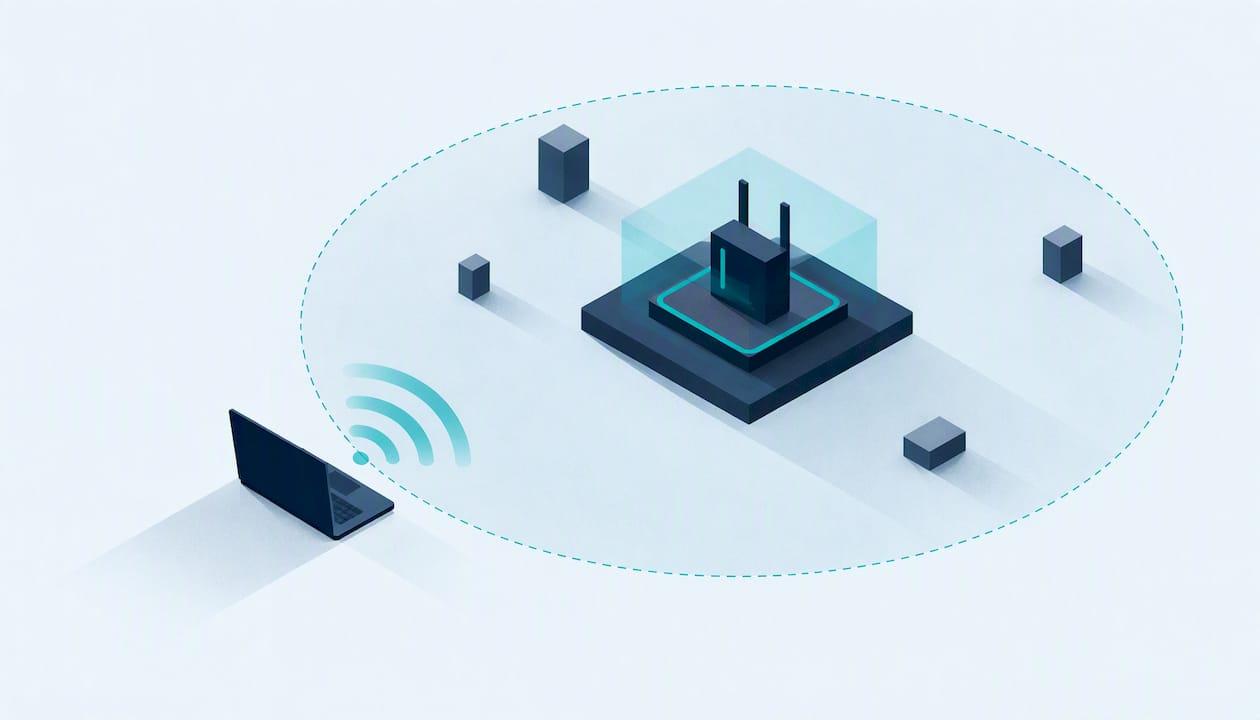
Wireless penetration testing is an authorised simulated attack on your Wi-Fi. A tester works from radio range, as an attacker would, to find weak encryption, guessable keys, rogue access points and badly separated guest networks, then tells you how to fix them. It matters most for offices, schools, colleges and charity sites where people and visitors connect all day, and where the signal usually leaks well beyond the front door.
This guide explains what a wireless test covers, how a professional engagement runs, what the law says, what a good report contains, and how it connects to Cyber Essentials.
Key Takeaways
- A wireless penetration test simulates attacks on access points, client devices, encryption and authentication, to show what someone outside your building could reach.
- Written authorisation and a clear scope come first. Using radio equipment or networks without permission can be a criminal offence in the UK.
- A useful report ranks each finding by risk, shows how to reproduce it and says how to fix it. A tool-generated scan on its own is not a penetration test.
- Wireless devices such as access points are in scope for Cyber Essentials under version 3.3, so a tidy wireless estate helps your certification too.
- Test at least annually, and after any change such as new access points, a new site or a new guest network.
Table of Contents
- What wireless penetration testing is
- What a wireless test looks for
- How a professional wireless test runs
- Tools and their limits
- The law: is wireless testing illegal without permission?
- Reading the report
- How often to test
- Wireless testing and Cyber Essentials
- Choosing a provider
- How Solusec can help
- FAQ
- Sources
What wireless penetration testing is
A wireless penetration test assesses the security of Wi-Fi and wireless LAN (WLAN) infrastructure by attacking it in a controlled way. It looks at the access points, client devices and the encryption protecting the network, and tries to exploit insecure configurations and weak authentication from within radio range.
The phrases "wifi penetration testing", "wireless network security testing" and "WLAN testing" all describe the same job. The difference from a scan is human judgement. Professional practice treats a penetration test as more than a tool-driven scan: an expert interprets findings to identify the root cause of a gap rather than just patching symptoms. If you want the wider distinction, our page on penetration testing versus vulnerability scanning sets it out.
Why radio range changes the risk
A wired network needs physical access. Wi-Fi does not. US government guidance notes that Wi-Fi signals may reach into buildings from adjacent buildings and businesses, so confidentiality, availability and integrity all need thinking about. In a shared office block, on a school campus beside a public road, or in a charity shop on a high street, an attacker can sit outside with a laptop and never be seen.
The same guidance makes a point that surprises organisations with no Wi-Fi at all: even if your network offers no wireless access, you should monitor for unauthorised wireless services, because a rogue access point plugged into a wall socket becomes a backdoor.
What a wireless test looks for
The common weaknesses found in assessments include rogue access points, weak or reused pre-shared keys, insecure guest networks and overly broad signal coverage. In practice a tester works through these areas:
| Area | What the tester checks | Typical finding |
|---|---|---|
| Encryption and authentication | Protocol in use, handshake strength, enterprise authentication settings | Old protocols still enabled, or a shared passphrase that can be guessed offline |
| Pre-shared keys | Length, reuse across sites, who knows it | One key used at every branch and never changed after staff leave |
| Rogue and evil-twin access points | Unknown devices on the network, fake copies of your network name | A staff-installed repeater that bypasses your controls |
| Guest networks | Separation from the corporate network | Guests can reach printers, servers or admin pages |
| Network segmentation | What a connected wireless device can reach | A single flat network behind the Wi-Fi |
| Signal coverage | How far your signal travels | Strong signal in the car park or neighbouring unit |
| Management interfaces | Default credentials, exposed admin pages | Controller login still on factory settings |
Guest and visitor networks
Guest Wi-Fi is where many organisations leave the door ajar. Schools, colleges, charities and offices with a steady flow of visitors often add a guest SSID without isolating it properly. A test checks whether a guest can see internal devices. If you are planning one, this walkthrough of guest Wi-Fi setup steps covers the basics of QR codes and VLAN separation.
Coverage and layout
Security and design overlap. A signal that spills far beyond your premises gives attackers more room to work, and dead spots push staff to plug in their own unmanaged access points. A wifi survey and design exercise helps you place access points sensibly before or after a security test.
How a professional wireless test runs
The stages below are typical of a professional engagement. Your provider's method statement will show their exact approach.
- Scoping and authorisation. You and the provider agree what is in and out, which sites, which networks, which hours, and who signs off. The buyer and provider should agree a scope that meets the buyer's assurance requirements and describes the relevant attack surface.
- Reconnaissance. The tester maps the wireless environment passively: which networks are visible, which access points belong to you, which do not, and how far the signal carries.
- Attack and exploitation. With permission, the tester attempts to capture handshakes and crack keys, impersonate your network, test guest isolation and move from the wireless segment into the wider network.
- Post-access checks. Once connected, the tester sees what a wireless device can reach and whether controls such as segmentation hold.
- Reporting and debrief. Findings are ranked, explained and handed over with fixes.
During the work, effective testing programmes define how serious vulnerabilities are reported to the client immediately. You should not have to wait for the final report to hear that an open admin interface is exposed.
What the scope should state
Before anyone switches on a wireless adapter, write down:
- The physical sites and the SSIDs or network segments included.
- Whether testing is passive only, or includes active attacks such as forcing devices to reconnect.
- The testing window, so you can warn staff and avoid disrupting lessons, clinics or events.
- Out-of-scope items, for example neighbouring tenants' networks.
- Named contacts on both sides and an emergency stop procedure.
The neighbouring-networks point matters. Your signal and someone else's overlap, and a tester must stay on your equipment.
Tools and their limits
Professionals commonly use open-source tooling. One published comparison covers Aircrack-ng, Reaver and Kismet: Aircrack-ng recovers WEP and WPA/WPA2 keys from captured traffic, while Kismet is used to detect and survey networks. Tools like these run on a laptop with a wireless adapter that supports monitor mode.
Tools find what they are built to find. They do not know that your finance team's printer should never be reachable from the guest network, or that the repeater under reception was installed by a well-meaning member of staff. That judgement is why you pay a person, not just a licence. Key cracking also depends on passphrase strength: a long, random key resists offline guessing far better than a short, memorable one, so a test result often turns on a decision your own team controls.
The law: is wireless testing illegal without permission?
In the UK, testing without authorisation is a real legal risk, and authorisation is what separates a test from an attack. Two areas matter:
- Radio equipment. Using spectrum without a licence or licence exemption, or breaching its conditions, is a criminal offence. Ofcom regulates radio equipment, so a tester must use compliant equipment.
- Using networks without permission. A law firm's commentary reported that unauthorised wireless use was prosecuted under the Communications Act 2003, while internet-only use might not meet the intent requirement of the Computer Misuse Act 1990. That article dates from 2005, so treat it as background and take current legal advice if you are unsure.
The practical conclusion for you: never ask a keen employee or a friend to "have a go" at your Wi-Fi, and never test a network you do not own. Get a written agreement naming the tester, the scope and the dates. Anyone testing on your behalf should hold that authorisation in writing.
Reading the report
The report is the product. A CREST-style report should include the goals and scope, full results, a timeline, risk-assessed vulnerabilities, remediation advice and the testers' CREST IDs and qualifications. It should also give enough information for you to understand and replicate each issue, so your IT team or managed service provider can confirm the fix.
Prioritising fixes
Ask for findings in plain English, ranked by what an attacker could actually do. A sensible order for most small organisations:
- Anything that gives access to the internal network from outside (weak keys, open management pages, missing guest isolation).
- Rogue or unmanaged access points.
- Outdated protocols and encryption settings.
- Coverage and configuration tidy-up.
Fix the root cause. If a shared key leaked, changing it without moving to individual authentication just resets the clock. Our guide to what a good penetration test report looks like shows how we present findings.
How often to test
US federal guidance from NIST recommends periodic WLAN security assessments at least annually, and quarterly if you have no continuous monitoring. That is a US standard rather than a UK requirement, but it is a sound benchmark. Retest after:
- Adding or replacing access points or controllers.
- Opening a new site, or moving offices.
- Changing how guests or contractors connect.
- A security incident or a staff departure that affected key knowledge.
If you want testing built into your calendar, see regular penetration testing and continuous penetration testing.
Wireless testing and Cyber Essentials
Wireless sits inside the Cyber Essentials scheme. Under version 3.3, wireless devices, including access points, are in scope if they can communicate with other devices via the internet. The NCSC published that version in April 2026, so access points need the same basics as the rest of your estate: supported firmware, changed default credentials, sensible configuration and secure boundaries.
Cyber Essentials is a baseline, not a penetration test. It checks that core controls are in place. A wireless test goes further and attacks your configuration to see whether it holds. Many organisations do both: certify first, then test. Our Cyber Essentials checklist helps you prepare, and how to get Cyber Essentials walks through the process. Cyber Essentials Plus adds a technical verification, and we cover it on our Cyber Essentials Plus page.

Choosing a provider
Whoever you hire, check these points:
- Accreditation. Look for CREST accreditation and named, qualified testers. Solusec is CREST-accredited.
- Who does the work. You should speak to the tester or assessor, not only a salesperson.
- A written scope and authorisation letter before any activity.
- A sample report showing ranked findings and fixes.
- Proportionate advice. A school with one building does not need the same recommendations as a multi-site enterprise.
Our page on choosing a penetration testing provider goes into more detail.
How Solusec can help

We are a CREST-accredited provider working with startups, small businesses, schools, colleges, universities and charities. You deal directly with the experts doing the testing, and you get plain-English, proportionate recommendations rather than a wall of jargon.
Our published penetration testing prices include an external IP test at £3,000 and a CMS website test at £2,500, both one-off. Cyber Essentials certification is £320 to £600 one-off, and a Cyber Essentials gap analysis is £300. If you are planning a test of your wireless estate, tell us about your sites, access points and guest arrangements when you ask for a quote, and we will advise how best to scope it.

See our penetration testing services and our Cyber Essentials certification, or contact us through the Solusec site to talk it through. If you need work at short notice, we also offer urgent penetration testing.
FAQ
What is wireless pentesting?
It is an authorised, simulated attack on your Wi-Fi and wireless LAN. The tester looks for weak encryption, guessable keys, rogue access points and poorly separated guest networks, then reports how to fix them. The aim is to find the gaps before an outsider within radio range does.
Is pentesting illegal?
Not when you have written permission from the network owner and a clear scope. Without that permission it can be a crime: using radio equipment outside its licence rules is a criminal offence under Ofcom's rules, and unauthorised network use has been prosecuted under the Communications Act 2003. Always agree authorisation in writing first.
Which tool is widely used for wireless penetration testing?
Aircrack-ng is one of the most widely used open-source suites, alongside Kismet for detecting and surveying networks. A published comparison of Aircrack-ng, Reaver and Kismet shows what each does. Tools only support the tester, who still has to interpret what they find.
What are two types of penetration testing?
The simplest split is external and internal testing. External testing attacks what an outsider can reach, such as your public IP addresses or websites. Internal testing assumes an attacker already has a foothold on your network. Wireless testing sits between the two, because the attacker starts outside but the Wi-Fi can lead inside.
Does my wireless network need testing for Cyber Essentials?
Cyber Essentials does not require a penetration test, but access points are in scope when they can communicate with other devices via the internet. Testing is a good way to confirm your configuration stands up once you are certified.
Sources
- What is Wireless Penetration Testing?
- A Guide to Securing Networks for Wi-Fi (IEEE 802.11 Family)
- A Guide to Penetration Testing (CREST, 2022)
- CREST Defensible Penetration Test
- NIST SP 800-153, Guidelines for Securing Wireless Local Area Networks
- Ofcom: Rules on using radio equipment
- Cyber Essentials Requirements for IT Infrastructure v3.3
- Is using a wireless network without permission a criminal offence?
- Comparison of Wireless Network Penetration Testing Tools
Recommended
- How Much Does a Penetration Test Cost? UK Prices 2026
- Network Penetration Testing for IT Teams: Check CREST Before Buying
- Penetration Test vs Vulnerability Scan: The Difference
This article was created with assistance of AI. We never use AI with your data unless given explicit permission.