
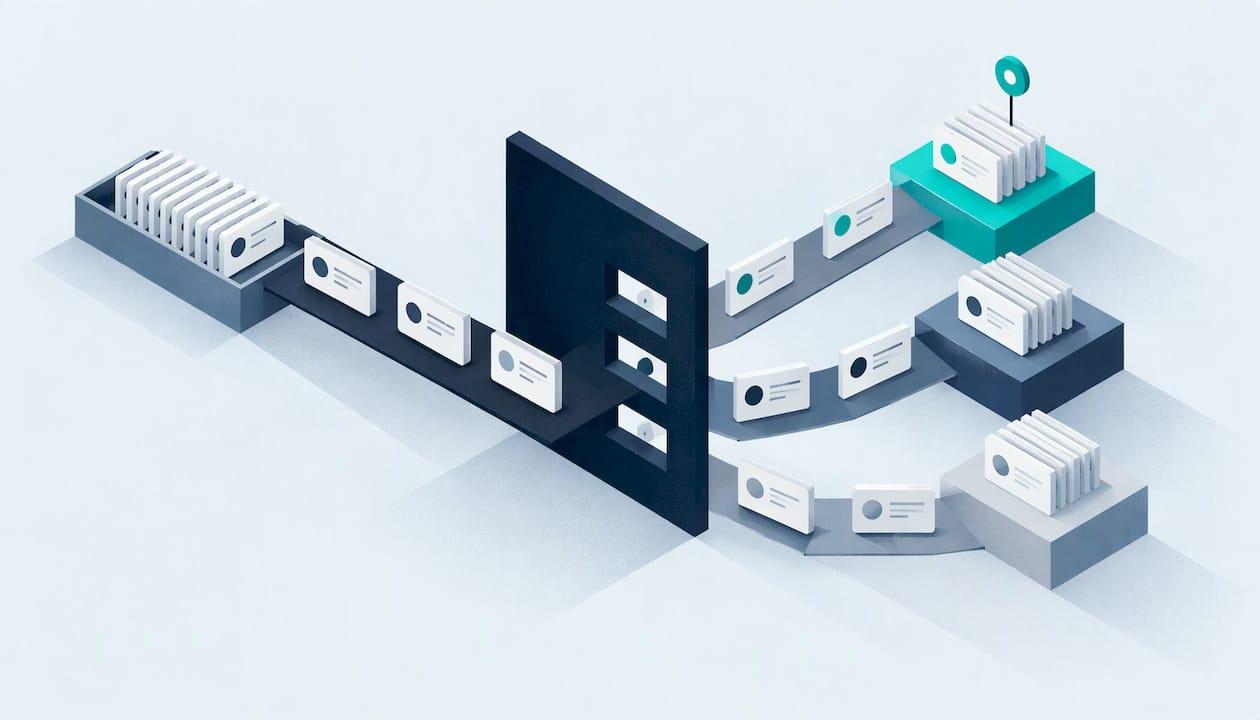
Vulnerability prioritisation means ranking the weaknesses in your systems so you fix the ones most likely to hurt you first. Do it well and a small team with a long list of findings can still cut real risk within days. Do it badly and you burn hours on low-risk flaws while an exploitable one sits on your internet-facing server.
This guide shows how to prioritise in a way that suits a small UK organisation: a startup, a school, a charity or an SME with one or two people looking after IT. It draws on NCSC guidance and the Cyber Essentials rules, and it ends with what to do when you cannot patch straight away.
Key takeaways
- Prioritising means ranking by risk to your organisation, not by the highest severity score. The NCSC says to use threat intelligence such as the CISA Known Exploited Vulnerabilities (KEV) catalogue rather than rely only on technical scores like CVSS.
- Fix internet-facing systems first, then the systems where a successful attack would do the most damage.
- Cyber Essentials expects patches for critical or high-risk vulnerabilities within 14 days of release, so that deadline is a sensible ceiling for your top tier.
- If you cannot fix something, mitigate it, set a review date and record the decision. Accepting a risk is a senior business decision, not only an IT one.
- Keep a register and re-test afterwards, so you can show that a fix worked.
Table of Contents
- What vulnerability prioritisation actually is
- Why the severity score alone misleads
- The factors that should set priority
- A step-by-step process you can run with a small team
- Using CVSS, EPSS and the KEV catalogue together
- Prioritising patches when time, staff and budget are tight
- When a high-priority vulnerability cannot be patched yet
- Tracking fixes and proving they worked
- Common mistakes to avoid
- How Solusec helps
- FAQ
- Sources
What vulnerability prioritisation actually is
Vulnerability prioritisation is the process of ranking security weaknesses to decide which to address first. Ivanti describes the risk-based version as one that adds business context, threat intelligence and asset importance, instead of relying only on a technical severity score. The same source warns that without a formal approach, teams waste effort on low-risk flaws and overlook critical, exploitable exposures.
That is what people mean by risk-based vulnerability management. A scanner tells you what is wrong. Prioritisation tells you what matters here, on your systems, this week.
A useful way to think about it: every finding answers two questions. How likely is someone to exploit this? And how bad is it for us if they do? Severity scores only partly answer the first and say nothing about the second, because they do not know what your server holds or who depends on it.
Why the severity score alone misleads
A scanner report with 300 findings, each marked critical, high, medium or low, looks like a to-do list. It is not one. Three problems follow if you work top to bottom by score.
Scores ignore your context. A high-scoring flaw on a test machine with no data and no internet access matters far less than a medium-scoring flaw on your public login page.
Scores ignore what attackers are doing. Many high-scoring flaws are never exploited in practice. The NCSC guidance on owning the risk of not updating tells organisations to reference threat intelligence, such as the CISA KEV catalogue, rather than rely solely on scores like CVSS.
Hard cut-offs create false certainty. The CERT Coordination Center advises against blind adherence to rules such as only patching scores above 7.0, because no single scoring system is perfectly precise.
So use scores as one input among several. Do not use them as the decision.
The factors that should set priority
The NCSC lists what should weigh on the decision: threat intelligence, the impact on the system or service, what you know about backups and recovery, reputational damage, direct costs, short-term fixes and whether skilled people are available to do the work, all set out in its guidance on risk and updating. Separately, its assessment guidance says internet-facing services, and systems where a successful exploit would have the largest negative impact, should be prioritised for remediation.
The CTEM community suggests combining four things: business criticality, exploit likelihood, exposure conditions and compensating controls. Here is how that looks as a working scorecard for a small organisation.
| Question to ask | Raises priority | Lowers priority |
|---|---|---|
| Is it reachable from the internet? | Public website, VPN, email gateway, remote access | Internal only, behind other controls |
| Is it being exploited now? | Listed in the KEV catalogue | No sign of exploitation |
| How likely is exploitation? | High EPSS estimate, public exploit code | Low estimate, complex preconditions |
| What does the system hold or do? | Customer data, payments, safeguarding records, authentication | Test or retired systems |
| Are there compensating controls? | None | Firewall rule, segmentation, MFA in front |
| How hard is recovery? | No tested backup | Rebuild is quick and rehearsed |
You do not need a spreadsheet formula. Four or five honest yes/no answers per finding will sort most lists into a sensible order.
A step-by-step process you can run with a small team
Government guidance on implementing a vulnerability management process boils down to: set up protocols, create a register to track findings, prioritise and assign remediation tasks, then update the register once testing confirms a fix. The NCSC's vulnerability management guidance frames it as six principles: update by default, respond to active exploitation, identify assets, triage and prioritise assessments, own the risks of not updating, and verify and regularly review the process.
Turned into a routine:
- List your assets. You cannot rank what you do not know about. Include cloud services, public websites, remote-access gateways and laptops. Our guide to external attack surface management explains how to find the parts of your estate that are visible from outside.
- Scan or test. Run vulnerability scans on a schedule and use penetration testing for what scanners cannot judge, such as business logic flaws. The NCSC describes vulnerability management programmes as covering system discovery, asset classification, detection, triage, remediation and disclosure.
- Group similar findings. The NCSC recommends grouping like issues, for example all the SSL flaws, so one fix closes many entries.
- Put each group in a bucket. The NCSC's three categories are fix, acknowledge or investigate, set out in its assessment guidance.
- Rank the "fix" bucket with the scorecard above and give each item an owner and a date.
- Fix, then verify. Re-scan or retest, and only then close the entry in the register.
- Review regularly. New flaws appear all the time, and a flaw you ignored last quarter may now be exploited.
A worked example
Imagine a 40-person charity with a scan showing 120 findings. Five stand out when you apply the scorecard.
- A remote-access gateway with a flaw that appears in the KEV catalogue. Internet-facing and under active exploitation: fix today.
- An outdated plugin on the public donation page. Internet-facing, handles payment journeys: fix this week.
- A medium-scored flaw on the file server holding beneficiary records. Internal, but the data is sensitive: fix within the 14-day window if it is rated high, otherwise schedule it.
- Forty findings of one kind on old laptops that the same operating system update resolves: one grouped task.
- A critical-scored flaw on a machine due to be decommissioned and disconnected from the network: acknowledge, record, and set a review date.
Five decisions replace 120 line items. That is the point of prioritising.
Using CVSS, EPSS and the KEV catalogue together
Three public data sources do most of the work for a small team, and they answer different questions. The CTEM guidance summarises how they combine into an auditable decision model.
- CVSS tells you how severe a flaw is in technical terms.
- EPSS estimates the probability that the flaw will be exploited.
- The CISA KEV catalogue lists vulnerabilities already known to be under active exploitation.
A simple rule of thumb: anything in KEV that touches your estate goes to the top, whatever its CVSS score. After that, rank by exposure and business impact, using EPSS and CVSS to break ties. Write the rule down so the next person, or an auditor, can see why you ranked things as you did.
Publishing the logic matters more than its sophistication. A decision you can explain and repeat beats a clever model nobody understands.
Prioritising patches when time, staff and budget are tight
Most small organisations cannot patch everything at once. The NCSC's guidance on preparing for a vulnerability patch wave says that with limited resources you should update your external attack surface first, then your critical security systems.
In practice, that gives you an order of work:
- Internet-facing systems: websites, email, VPNs, firewalls, remote access.
- Security systems: identity providers, endpoint protection, backup infrastructure.
- Systems holding sensitive or business-critical data.
- Everything else, on a regular cycle.
The Cyber Essentials deadline
If you hold, or want, Cyber Essentials, the rules set a clear benchmark. The requirements for IT infrastructure v3.3 say patches for critical or high-risk vulnerabilities must be applied within 14 days of release. Those are defined as vulnerabilities with a CVSS v3 base score of 7 or above, or ones the vendor labels as such. The same document requires in-scope software to be licensed, supported and updated, with automatic updates on where possible.
Note what that means for the CERT warning above. Cyber Essentials uses a score threshold because an assessment needs a consistent rule. Your own prioritisation can be smarter than the threshold, but it should never be slower than it for anything the scheme covers. We summarise the latest rule changes in our page on the Cyber Essentials April 2026 changes.
Patching is also only one layer. Weak or reused credentials undermine a well-patched estate, so pair your patch routine with sound habits such as protecting business passwords.

When a high-priority vulnerability cannot be patched yet
Sometimes the vendor has no fix, or the system is too fragile to change this week. The NCSC's assessment guidance suggests reconfiguration or mitigation where appropriate, time-bound and tracked temporary workarounds, and recording any decision not to fix with a planned review date. If the risk is high enough, it belongs in your risk register.
Typical mitigations include blocking the affected service at the firewall, restricting access to a small set of addresses, switching off an unused feature, or putting the system behind multi-factor authentication. Our checklist on remediation versus mitigation walks through how to choose.

Two points deserve emphasis.
Not fixing is a business decision. The NCSC states that choosing not to fix a vulnerability is a senior-level business risk decision rather than purely an IT issue, to be recorded within your wider risk management, as set out in its guidance on owning the risk. A director or trustee should sign it off.
Active exploitation changes the clock. If a flaw is being exploited, the NCSC advises that you isolate affected systems, investigate for compromise and apply updates on a greatly accelerated timeline, ideally using a Cyber Incident Response provider for the investigation. If you suspect a breach, do not wait for the next review: call a specialist.
Tracking fixes and proving they worked
A register is the backbone of the process. For each finding, record what it is, where it is, its priority and why, who owns it, the due date and the verification result. Government guidance says to update the register once testing confirms the resolution, not when someone says they have patched it.
There is a compliance angle too. The ICO's guidance on ransomware and data protection suggests keeping a patch management policy, scanning both internal and external assets, and documenting how effective your security controls are as part of UK GDPR compliance. A tidy register is the evidence for all three.
For verification, a rescan confirms that a known flaw has gone. A penetration test goes further, showing whether an attacker could still chain remaining weaknesses together. If you are unsure which you need, see our comparison of a penetration test and a vulnerability scan.
Common mistakes to avoid
- Sorting by score and stopping there. Add exposure and business impact.
- Treating the scanner report as the register. Reports are snapshots. A register records decisions and outcomes.
- Forgetting assets you did not know you had. Old test sites and forgotten subdomains are common entry points.
- Letting exceptions drift. Every accepted risk needs an owner and a review date.
- Never retesting. A closed ticket is not a fixed flaw.
How Solusec helps
If you would rather have an expert make these calls with you, that is what we do. Our CREST-accredited testers work directly with you, with no sales layer in between, and give plain-English findings ranked by what matters for your organisation. Our vulnerability management service covers finding, ranking and tracking weaknesses, and we can retest once you have fixed them.
Published prices on our penetration testing page start at £2,500 for a CMS website test and £3,000 for an external IP test. If certification is your driver, Cyber Essentials is £320 to £600 depending on organisation size, a gap analysis is £300, and urgent turnaround adds £100, all listed on our Cyber Essentials page. For published research from our team, see our vulnerability research and CVEs.
FAQ
What is risk-based prioritisation?
It is ranking vulnerabilities by the risk they pose to your organisation, not only by their technical severity. It weighs factors such as whether the system is internet-facing, whether the flaw is being exploited, and what the system does for your business. The NCSC recommends using threat intelligence such as the KEV catalogue alongside CVSS.
Should I fix every critical vulnerability first?
Not automatically. A critical score on an isolated, low-value system can wait behind a lower-scored flaw on a public server that attackers are exploiting. If you are going for Cyber Essentials, though, critical and high-risk patches must still be applied within 14 days of release.
How often should I review my priorities?
Review whenever a new finding arrives, when a flaw you have deferred appears in threat intelligence, and on a regular schedule agreed in your process. The NCSC lists verifying and regularly reviewing the process as one of its six principles. Deferred items should always carry a planned review date.
What if we cannot patch a high-priority flaw?
Apply a mitigation such as restricting access or disabling the affected feature, time-limit it and track it. Record the decision with a review date, and log it in your risk register if the risk is high. If you think the flaw is already being exploited against you, isolate the system and bring in an incident response specialist.
Sources
- Vulnerability Prioritization: The Complete Guide, Ivanti
- Implementing a vulnerability management process, security.gov.uk
- Vulnerability management guidance, NCSC
- Carry out assessments, NCSC
- Owning the risk of not updating, NCSC
- Responding to active exploitation, NCSC
- Vulnerability scanning tools and services, NCSC
- Preparing for a vulnerability patch wave, NCSC
- Cyber Essentials Requirements for IT Infrastructure v3.3, NCSC
- CTEM Stage 3: Prioritization, CTEM.org
- Prioritization, CERT Guide to Coordinated Vulnerability Disclosure
- Ransomware and data protection compliance, ICO
Recommended
- Vulnerability Management Services
- Vulnerability Research & Published CVEs
- External Attack Surface Management: A Practical UK Guide
- 4-Step Decision Checklist for UK Teams: Remediation vs Mitigation
This article was created with assistance of AI. We never use AI with your data unless given explicit permission.