
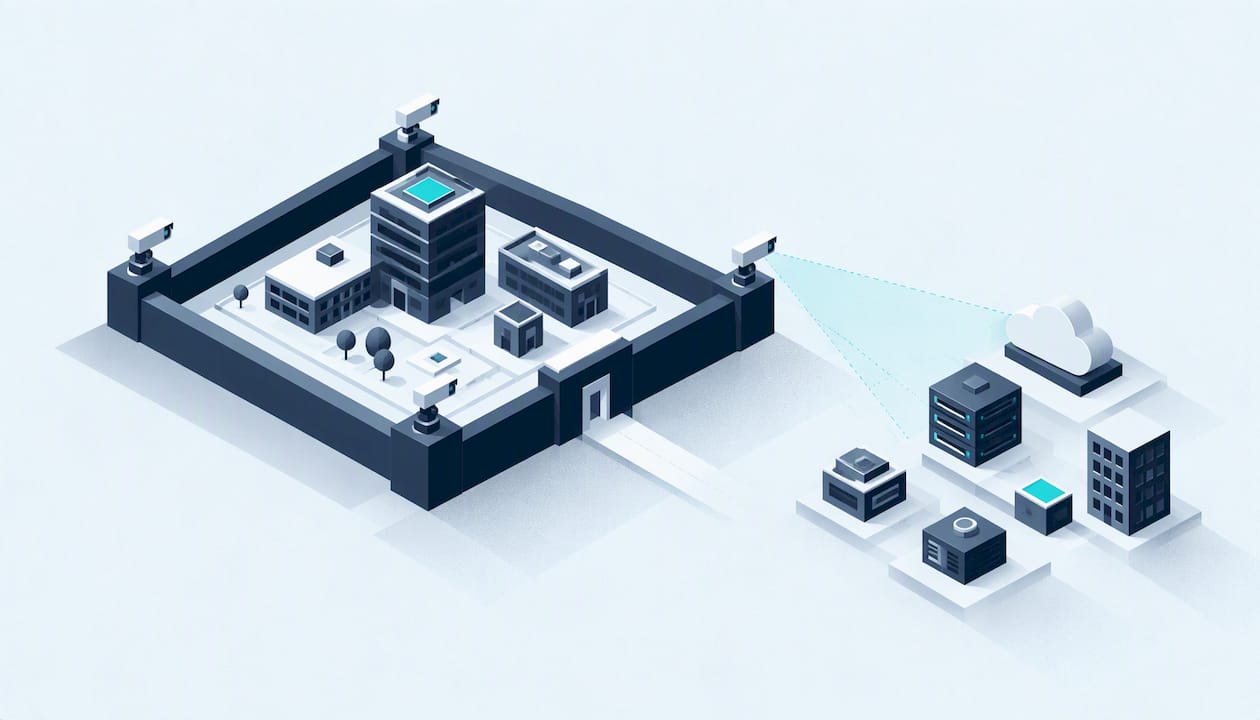
External attack surface management (EASM) is the ongoing work of finding, monitoring and reducing the weaknesses in everything your organisation exposes to the internet: domains, subdomains, IP addresses, cloud services, login pages, forgotten test sites. The NCSC describes it as identifying, monitoring and reducing vulnerabilities within assets that are accessible from the internet. In short, it shows you what an attacker can see before an attacker uses it.
This guide is written for UK business owners, IT managers, school and college leaders and charity directors who do not have a security team. It explains what EASM does, where it stops, what it costs to get wrong, and how to combine it with penetration testing and Cyber Essentials without buying more than you need.
Key takeaways
- EASM answers one question continuously: what do we have facing the internet, and is any of it weak or forgotten?
- It is not a substitute for penetration testing or for checking your internal systems. NCSC guidance treats the two as complementary.
- For most small organisations the biggest wins are unglamorous: remove forgotten assets, turn on multi-factor authentication (MFA) and patch quickly.
- Cloud EASM tools such as Microsoft Defender EASM bill by the number of assets they track, so tidy your estate before you connect it.
- The NCSC retired its free Web Check and Mail Check services on 31 March 2026, so many small organisations now need a replacement for basic external visibility.
Table of Contents
- What external attack surface management actually covers
- Why forgotten assets are the real risk
- EASM, vulnerability scanning and penetration testing
- The free NCSC option has gone
- What to expect from a commercial EASM tool
- Reduce your attack surface before you buy anything
- Where Cyber Essentials fits
- How a human-led test completes the picture
- A sensible plan by organisation type
- Questions to ask any provider
- Get a view of your external exposure
- FAQ
- Sources
What external attack surface management actually covers
Your attack surface is every point where someone outside your organisation can try to get in or get information. The external part is what is reachable from the internet without already being inside your network.
In practice that usually means:
- Domains and subdomains, including old ones such as
staging.oroldshop.that nobody remembers creating. - IP addresses and open ports, such as a remote desktop service left open on a office router.
- Websites and web applications, including content management systems (CMS) with outdated plugins.
- Cloud services, such as storage buckets, virtual machines and admin consoles.
- Email and DNS configuration, which affect whether someone can impersonate your domain.
- Login portals for VPNs, remote access, webmail and admin panels.
The NCSC notes that EASM is a subset of attack surface management (ASM) and focuses on assets reachable from the internet. If you have seen "attack surface discovery" or "attack surface monitoring" used as separate terms, they are the two halves of the same job: discovery builds the inventory, monitoring watches it for change.
How EASM tools work
The NCSC buyer's guide explains that EASM products automatically discover your external attack surface, then help you understand the risks and what to do about them. The usual cycle looks like this:
- Seed. You give the tool a starting point: your main domain, company name or known IP ranges.
- Discover. It maps related assets by following DNS records, certificates, hosting details and other public signals.
- Assess. It checks what it finds for known vulnerabilities, expired certificates, exposed services and risky configuration.
- Prioritise. It ranks findings so you know what to fix first.
- Monitor. It repeats the process so that a new exposed server shows up in days, not at next year's audit.
The point of step two is that you do not need to know about an asset for the tool to find it. That is why EASM is strongest against shadow IT: a forgotten marketing microsite, a developer's test server, a subdomain still pointing at a cloud service you cancelled.
Why forgotten assets are the real risk
Most small organisations can list their main website and email provider. Few can list everything. Agencies build campaign sites, a former IT contractor sets up remote access, a trial cloud account is left running, a school's old parent-portal stays online after the supplier changes.
NCSC guidance on reducing exposure to attack starts with establishing a baseline of cyber security, and the NCSC's vulnerability management guidance says the majority of incidents come from attackers exploiting publicly disclosed vulnerabilities. A forgotten asset is exactly where such a vulnerability sits unpatched, because nobody is responsible for it.
That is the practical argument for EASM: you cannot patch, protect or switch off something you do not know exists.

EASM, vulnerability scanning and penetration testing
These three get confused, and buying the wrong one wastes money. Here is how they differ.
| EASM | Vulnerability scan | Penetration test | |
|---|---|---|---|
| Main question | What do we expose, and what changed? | Which known weaknesses exist on these systems? | Can a skilled attacker actually get in, and how far? |
| Frequency | Continuous | Regular, often weekly or monthly | Point in time, usually annual or after major change |
| Starts from | Almost nothing: finds your assets | A list of targets you provide | An agreed scope you provide |
| Human judgement | Low to moderate | Low | High |
| Best at | Shadow IT, new exposure, drift | Missing patches, known flaws | Chained flaws, logic errors, real impact |
The NCSC's position, as set out in its buyer's guide, is that EASM gives a continuous, automated view from the attacker's side, while a penetration test is a point-in-time exercise that tests how well your security controls and processes hold up. Relying on only one leaves gaps. Our own explainer on the difference between a penetration test and a vulnerability scan goes further on where each fits.
The NCSC's penetration testing guidance is also worth reading before you commission one. It calls penetration testing a core tool but not a magic bullet, and gives advice on commissioning and using a test properly.
What EASM does not do
EASM sees from outside. It will not tell you that a laptop has no disk encryption, that a member of staff has needless admin rights, or that an internal file server is missing updates. The NCSC buyer's guide warns against relying on external tools to judge internal security. Those checks belong to internal vulnerability management and to the controls assessed under Cyber Essentials.
It also cannot judge business logic. A scanner can tell you a login page exists and runs old software. It cannot tell you that changing an order number in a URL exposes another customer's invoice. That takes a human tester.
The free NCSC option has gone
Many UK organisations used the NCSC's free Web Check and Mail Check to keep an eye on websites and email configuration. The NCSC announced their retirement, with both services closing on 31 March 2026. If you relied on them, you now have a gap in basic external visibility.
The NCSC's advice for small and medium-sized organisations remains the right starting point for free guidance and tools. But for continuous discovery of internet-facing assets, the realistic options are a commercial EASM product or a managed service.
What to expect from a commercial EASM tool
Use the NCSC buyer's guide as your checklist. In plain terms, look for:
- Automated discovery that finds assets you did not give it, not just scans a list you typed in.
- Clear prioritisation, so a non-specialist can tell the urgent from the cosmetic.
- Alerts you will actually read, sent to someone with the time and authority to act.
- Integration with the tools you already use, where that matters.
- Reporting in plain English. NCSC-aligned advice is that organisations without in-house IT expertise benefit most from clear, non-technical reporting rather than raw technical output.
The question that separates tools is scale. Large enterprises need discovery across huge IP ranges and subsidiaries. A 40-person firm or a single-site school needs something different: a short, accurate list of what is exposed and a sensible order to fix it in.
Costs: the billable asset trap
Pricing varies by vendor, and some do not publish it. Microsoft Defender EASM is a useful example because its model is public. New users get a 30-day free trial, after which billing is consumption-based. You pay according to the number of billable assets found in the previous 30 days, such as active host and IP combinations, domains and IP addresses in an approved inventory state. There is no flat monthly fee, so cost rises with the size of your surface.
The lesson applies to any asset-priced tool: clear out the clutter first. Connecting a messy estate full of old subdomains and retired IP ranges can push the bill higher than expected. Decommission what you do not use, then connect the tool. You can read more about how the Defender EASM product positions itself, but treat any vendor page as marketing and test the output on your own estate.
Reduce your attack surface before you buy anything
A tool shows you the problem. Fixing it is mostly basic hygiene. NCSC guidance on reducing exposure points to the same short list that Cyber Essentials is built around.
- List what you own. Start with a spreadsheet: domains (check your registrar account), subdomains (check your DNS provider), cloud accounts, and who pays for each.
- Switch off what you do not use. Delete old DNS records, close unused cloud accounts, take down retired sites. A dangling DNS record pointing at a cancelled service is an easy takeover target.
- Close what does not need to be open. Remote desktop, databases and admin panels should not face the whole internet. Put them behind a VPN or restrict by IP address.
- Turn on MFA for every account that can reach an internet-facing service.
- Patch quickly. Cyber Essentials expects critical and high-risk updates within 14 days of release. Treat that as your internal standard for anything internet-facing.
- Name an owner for every public asset. Unowned assets are the ones that rot.
- Review quarterly. Put it in the diary. Compare the list to what you found last time.
This costs time rather than licence fees, and it makes any later EASM tool quieter and cheaper to run.
Where Cyber Essentials fits
Cyber Essentials is not an attack surface management product, but it covers the controls that shrink your surface: firewalls and boundary protection, secure configuration, user access control, malware protection and security update management. A properly scoped assessment forces you to answer questions like "what is exposed?" and "who can log in from outside?".
For organisations new to this, a gap analysis for Cyber Essentials is a sensible first step. We offer one at £300, and Cyber Essentials certification at £320 to £600 depending on your organisation's size. An urgent turnaround is available for an extra £100 if a tender or customer contract has a deadline. If you need a higher level of assurance, Cyber Essentials Plus adds technical verification, and IASME Cyber Assurance is the next step for organisations wanting a broader governance view.
How a human-led test completes the picture
An EASM tool tells you that a login page exists on an old CMS. A tester tells you whether it can be broken into, what data sits behind it, and what the fix should be. That is why we pair automated visibility with human testing.
For external exposure, the two tests most small organisations need are:
- External IP test, which probes your public-facing addresses and services from the internet, the way an attacker would. Our published price is £3,000.
- CMS website test, which examines your WordPress, Drupal or similar site and its plugins for exploitable flaws. Our published price is £2,500.
Both are described on our penetration testing page. If you want something between a one-off test and a full continuous programme, see how our external attack surface monitoring and continuous penetration testing options work, or compare a yearly annual penetration test. If your estate is mainly in AWS or Azure, our cloud security assessment is the closer fit.
A sensible plan by organisation type
There is no single right answer, but these starting points work for most of the people we speak to.
Startup with a SaaS product. Do the hygiene list, then commission an external test before your first enterprise customer's security review. Add monitoring once you ship regularly, because each release can change what is exposed.
Small business with a website and Microsoft 365. Get Cyber Essentials, which most customers and public sector buyers ask for anyway. Run a free trial of an EASM tool to see what turns up. Keep the CMS patched and test it if it takes payments or holds customer data.
School, college or university. Estates grow messy: old project sites, departmental subdomains, student-run services. Discovery is the priority. Build an inventory, assign owners, and retire what is not used. Pair this with Cyber Essentials and, where data sensitivity warrants it, Cyber Essentials Plus.
Charity. Budgets are tight and volunteers often manage the website. Start with the free NCSC small-organisation guidance, switch on MFA, remove old accounts and sites, and ask your web host or volunteer who holds the keys to each domain.
MSP looking after clients. You carry the exposure of every client you manage. Monitoring across client estates is a natural service, and we offer partnership models including white-label delivery if you would rather not build the testing capability yourself.

Questions to ask any provider
Whether you choose a tool, a service or both, ask:
- Who reads the results and who explains them to me? A person, or a dashboard?
- How does it find assets I did not tell it about, and how often does it check?
- How are findings ranked, and will I get a plain-English fix for each?
- What does it cost when my estate doubles, or when I connect a messy old domain?
- Who will I speak to when something is critical: a tester or a salesperson?
On that last point, our approach is that you deal directly with the CREST-accredited testers and assessors doing the work, with recommendations that are proportionate to your size.
Get a view of your external exposure
If you would like to know what an attacker can see of your organisation, and what is worth fixing first, talk to us. We can scope an external test or certification to your size and budget, and explain the findings without the jargon. Start at solusec.co.uk or go straight to our external IP and CMS website tests.
FAQ
What is the difference between EASM and ASM?
Attack surface management covers everything an attacker could target, inside and out. EASM is the subset focused on assets reachable from the internet, as the NCSC buyer's guide puts it. For most small organisations the external side is where to start.
Is EASM the same as a penetration test?
No. EASM is continuous and automated, and it finds what you expose. A penetration test is a point-in-time exercise in which a skilled person tries to break in and shows the real impact. The two complement each other, and relying on only one leaves blind spots.
Do small organisations need EASM?
If you have more than one domain, a cloud account or a CMS website, you almost certainly have assets nobody is watching. Small organisations do not need an enterprise platform. They need an accurate inventory, clear findings and someone responsible for acting on them.
How much does EASM cost?
It depends on the product. Microsoft Defender EASM, for example, has a 30-day free trial and then charges by billable asset, so the cost grows with your surface. Other vendors price differently or do not publish prices, so ask for a trial on your own domain.
What should I do first?
Write down every domain, subdomain and cloud account you own, switch off anything unused, and enable MFA on every account that can reach an internet-facing service. Then decide whether you need a tool, a test or certification.
Sources
- NCSC: External attack surface management (EASM) buyer's guide
- NCSC: Reducing exposure to attack
- NCSC: 10 Steps to Cyber Security, vulnerability management
- NCSC: Penetration testing
- NCSC: Retiring Web Check and Mail Check
- NCSC: Cyber security advice for small to medium sized organisations
- Microsoft Learn: Understand billable assets in Defender EASM
- Microsoft: Defender External Attack Surface Management
Recommended
- External Attack Surface Monitoring
- Vulnerability Management Services
- Copyable incident response tabletop agenda with sample injects (UK)
- NCSC Aligned Incident Response Roles: UK SMEs, When to Call CREST
This article was created with assistance of AI. We never use AI with your data unless given explicit permission.