
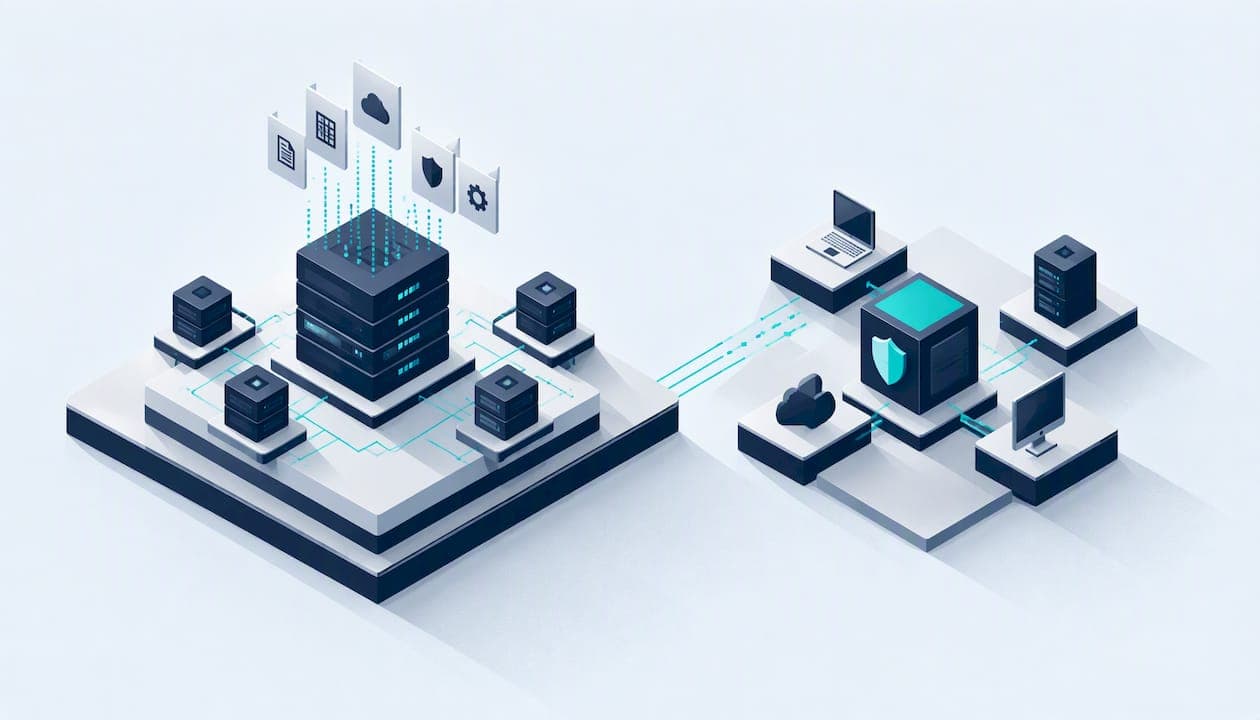
A SIEM collects and stores logs from across your whole estate so you can investigate and prove what happened. XDR detects threats across endpoints, identities, email and cloud, and responds to them automatically. They answer different questions, and larger organisations often run both. For most small UK organisations, the real question is neither product. It is whether you have someone who will read the alerts and act on them.
This guide compares the two on what matters: scope, response, cost, staffing and compliance. It also covers where Cyber Essentials fits, and how to decide without buying a platform that sits unwatched.
Key takeaways
- SIEM is a record and a lens. It centralises logs from almost any source for long-term investigation, audit and compliance. It does not stop anything by itself.
- XDR is a detector and a first responder. It correlates signals from endpoints, identity and cloud, and can isolate a device or disable an account automatically.
- The tool matters less than the people. The NCSC warns against the tool-led approach: a platform nobody tunes or triages produces noise, not security.
- Most small organisations should start smaller. Sound logging, a good endpoint tool and a tested response plan come before a full SIEM.
- They are layers, not rivals. A common pattern is XDR first, with high-value incidents streamed into a SIEM for retention and cross-estate correlation.
Table of Contents
- What a SIEM does
- What XDR does
- SIEM vs XDR side by side
- Where SOAR fits
- The cost question
- What the NCSC says about proportionality
- Do you need either for Cyber Essentials?
- Choosing: five questions that settle it
- A sensible path for a small organisation
- Testing what your tools actually catch
- Common mistakes to avoid
- FAQ
- Sources
What a SIEM does
SIEM stands for Security Information and Event Management. It pulls logs from firewalls, servers, applications, identity systems and anything else that can produce them, normalises them into one place and lets you search and alert across all of it. The NCSC's guidance on detection approaches is the best neutral starting point on how these tools fit into a security operations centre (SOC).
Three strengths define a SIEM:
- Breadth. It is typically vendor-agnostic. If a system writes logs, you can usually ingest them, including old line-of-business software that no modern security agent supports.
- Retention. It keeps history for investigations, audits and regulators. The NCSC's logging and monitoring guidance recommends keeping logs for at least six months.
- Custom detection. You can write your own rules for your own environment, such as a finance login from a new country followed by a mailbox forwarding rule.
The catch is the last point. A SIEM is only as good as the log sources you connect and the detection logic you write and tune. The NCSC notes that a fully featured SIEM mostly suits mature SOC teams with the skilled staff to do that work.
What XDR does
XDR stands for Extended Detection and Response. It usually grows out of EDR (endpoint detection and response) and widens the view to identity, email, cloud apps and sometimes network data. Where a SIEM waits for you to query it, XDR is built to spot an attack chain, group the related alerts into one incident and act: isolate a laptop, kill a process, block a sender or force a password reset.
Two features make it attractive to small teams:
- Pre-built detections. The vendor ships the logic and updates it, so you don't write rules.
- Automated containment. Response happens in seconds, which matters at 2 a.m. when nobody is at a desk.
The trade-off is scope. XDR is often tied to one vendor's ecosystem and sees mainly what its own sensors and connectors can see. Microsoft's incident response guide shows the common pairing in practice: Microsoft's XDR tools handle detection and response, integrated with Microsoft Sentinel as the SIEM.
SIEM vs XDR side by side
| Criterion | SIEM | XDR |
|---|---|---|
| Main job | Central log collection, search, audit, compliance reporting | Detecting and containing attacks across defined layers |
| Data sources | Almost anything that produces logs | Endpoints, identity, email, cloud apps; often one vendor's stack |
| Response | Mostly alerts; response needs a separate tool or people | Built-in automated actions such as isolating a device |
| Detection logic | Mostly yours to write and tune | Mostly supplied and updated by the vendor |
| Retention | Designed for long-term storage | Often shorter, depending on licence |
| Skills needed | High: engineers and analysts | Moderate: analysts to triage and review |
| Cost driver | Data volume ingested and stored | Per-user or per-device licensing |
| Best for | Mixed estates, audit trails, mature SOCs | Fast containment with a small team |
Treat the table as a tendency, not a rule. Products blur the line: many SIEMs now include automation, and many XDR platforms now offer log storage and search.
Where SOAR fits
If you have seen "SIEM vs XDR vs SOAR", the third term is simple. SOAR (security orchestration, automation and response) automates repeatable response tasks through playbooks: enrich an alert, check the user, open a ticket, block an address. XDR has this baked in for its own sensors. A SOAR tool or SIEM automation feature lets you build the same thing across tools that don't share a vendor. For a small organisation, SOAR is a later refinement, not a starting point.
The cost question
Pricing models differ more than the headline price.
SIEM costs usually follow the volume of data you send. As one illustration, an independent calculator lists Microsoft Sentinel pay-as-you-go at $4.30 per GB for the East US region, with commitment tiers lowering the rate at higher volumes. That is a US dollar list price, not a UK quote, and your bill depends on which logs you ingest. Chatty sources such as firewalls and DNS can swell it fast. Add the hidden cost: the engineer time to onboard sources, write detections and tune out false positives.
XDR is more often licensed per user or device, which is easier to forecast. It may arrive bundled in licences you already hold, so check your existing Microsoft 365 or endpoint agreement before shopping. You still pay in time, because someone must review incidents and decide when to trust automation.
Neither is cheap if nobody watches it. The NCSC describes the risk plainly: buy a platform without analysts to run it and you get a noisy system that buries real incidents under false positives.

What the NCSC says about proportionality
The NCSC's line is that detection should be threat-led, not tool-led. Start by understanding what you are defending and which attacks you realistically face, then pick what helps you manage that risk. Its 10 Steps logging and monitoring page points to a short list of log sources that answer the questions you will ask during an incident, such as firewall logs, system audit events and process creation, rather than collecting everything.
It also stresses that a full-scale SOC, and by extension a large SIEM investment, is not always needed for a well-designed environment. If you are a 30-person charity or a school with a handful of servers, that is permission to be pragmatic. Its introduction to logging for security purposes notes that logging can range from centralising logs you already generate and deploying free Windows tools, through to commercial agent-based products.
A practical corollary: an XDR agent on a server that isn't recording the right activity is as useless as a SIEM with no inputs. Fix the telemetry first.
Do you need either for Cyber Essentials?
No. Cyber Essentials tests technical controls: firewalls, secure configuration, user access control, malware protection and patching. It does not require you to run a SIEM or an XDR platform. If you are chasing the certificate for a contract, spend your time on the controls, not on a monitoring platform.
We publish practical help on that route: how to get Cyber Essentials step by step, the Cyber Essentials checklist and a guide to the April 2026 changes. Good endpoint protection will help you meet the malware control, and the evidence you gather (device lists, patch status) feeds straight into the assessment. A monitoring layer comes after, as a maturity step.
Choosing: five questions that settle it
1. Who will read the alerts?
If the honest answer is "the IT manager, between other jobs", favour a tool that automates containment and keeps alert volume low, or buy monitoring as a service. A SIEM adds work before it adds protection.
2. What do you actually run?
If you are mostly Microsoft 365 with managed laptops, an XDR from the same vendor covers most of your attack surface. If you also run older on-premises systems, specialist equipment or several clouds, a SIEM's breadth earns its place.
3. Who is asking for evidence?
Insurers, funders, auditors and regulated customers may expect retained logs and a demonstrable investigation trail. That is SIEM territory, or at least a log store with sensible retention. If nobody is asking, begin with the NCSC's core log sources.
4. Can you test the response, not just the dashboard?
Demos show detections. What matters is what happens when a real incident hits your estate. Our blog post on EDR vs XDR and testing your response plan before you buy walks through that approach, and it applies equally to SIEM purchases.
5. Have you fixed the basics?
Unpatched internet-facing systems and weak sign-in will hurt you more than a missing SIEM. Our five actions for small business cyber security is a short checklist worth finishing first.
A sensible path for a small organisation
- Secure the basics and get certified. Cyber Essentials covers the controls that stop the commonest attacks.
- Deploy a good endpoint or XDR tool across every device and identity, with automated containment switched on after a trial period.
- Switch on logging for the critical sources, keep it for at least six months, and send it to a central place. This can be a modest log store before it is a full SIEM.
- Write a response plan and test it. Know who isolates a device, who calls the insurer and who tells the ICO if personal data is involved.
- Add a SIEM when audit demands, estate complexity or growth justify it, and when you have, or have bought, the people to run it.
Larger organisations tend to reach the layered end state: XDR for speed on endpoints and identities, with significant incident data streamed into a SIEM for audit and cross-estate correlation. Think of it as a layered design, not a choice.
Testing what your tools actually catch
A monitoring platform is only proven when something attacks it. A penetration test shows what an attacker could reach and, if you ask, whether your tooling noticed. Our penetration testing is CREST-accredited and carried out by the testers themselves, with findings written in plain English and prioritised by what matters to you. Published prices start at £2,500 for a CMS website test and £3,000 for an external IP test. For the monitoring side, our SOC consulting and support helps you decide what to log, what to alert on and who responds, and our incident response service is there when something has already gone wrong. We work with startups, small businesses, schools, colleges, universities and charities, and you speak to specialists rather than a sales team. Our vulnerability management service helps you keep the findings fixed.

If your immediate goal is a certificate for a client contract, our Cyber Essentials certification is published at £320 to £600, depending on organisation size, with a £300 gap analysis and a £100 urgent turnaround option. Cyber Essentials Plus, which adds a technical verification, is on its own page.
Common mistakes to avoid
- Buying for the demo. Dashboards impress. Ask how many staff hours a week the tool needs once the novelty fades.
- Ingesting everything. More logs mean higher cost and more noise. Pick sources that answer incident questions.
- Switching on automation blindly. Automated containment can lock out a legitimate user or isolate a critical server. Trial in alert-only mode first.
- Treating the tool as the programme. Tools support a response process. They don't replace one.
- Skipping retention. If your logs roll over in a fortnight, you cannot investigate a breach discovered later.
FAQ
Is XDR a replacement for SIEM?
Not usually. XDR covers specific layers well and responds automatically, but a SIEM ingests from almost any source and keeps long-term records. Some small organisations rely on XDR alone and are fine, particularly with a mostly cloud estate. Organisations with audit demands or mixed estates generally want both.
Which is cheaper for a small business?
XDR is generally easier to budget, as it is licensed per user or device and may already be partly included in licences you hold. SIEM costs tend to scale with the volume of data ingested, plus the staff time to tune it. Compare the full cost, including who will run it.
What is the difference between XDR and EDR?
EDR monitors and responds on endpoints such as laptops and servers. XDR extends the same idea to identity, email, cloud applications and sometimes network data, correlating them into one incident. If your estate is mostly devices, EDR may be enough to begin with.
Do I need a SIEM to get Cyber Essentials?
No. Cyber Essentials assesses technical controls such as firewalls, patching, access control and malware protection. A SIEM is not part of the requirements. Start with the controls, then add monitoring as your risk and size grow.
Sources
- NCSC: Building a Security Operations Centre, detection approaches
- NCSC: 10 Steps to Cyber Security, logging and monitoring
- NCSC: Introduction to logging for security purposes (PDF)
- Microsoft Learn: Incident response with XDR and integrated SIEM
- SIEM Cost Calculator: Microsoft Sentinel pricing
Recommended
- UK EDR vs XDR: Test Your Response Plan Before You Buy
- SIEM and Log Review Services
- Microsoft Sentinel vs Splunk: KQL, SPL, and the Work of Switching
This article was created with assistance of AI. We never use AI with your data unless given explicit permission.