
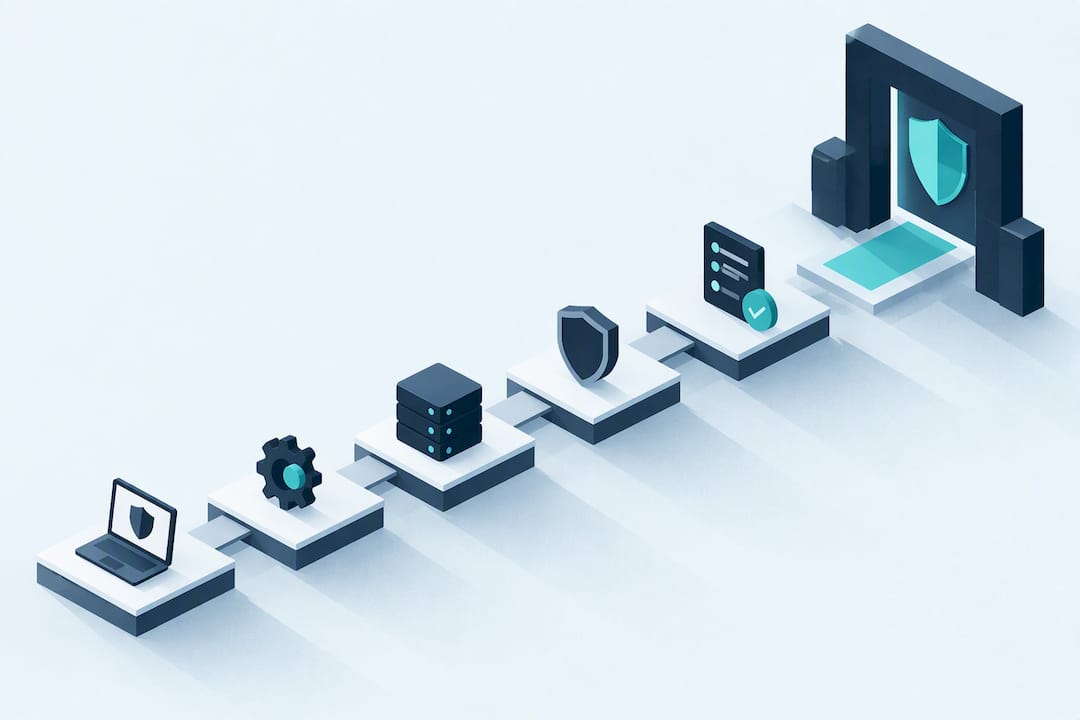
Start this week with five actions: a quick risk check of what you need to protect, multi-factor authentication on your main accounts, automatic software updates switched on, a tested backup, and a short list of whom to call if something goes wrong. These steps align with NCSC 10 steps to cyber security and the controls behind Cyber Essentials, and they cost little or nothing to put in place.
Key Takeaways
Implementing basic security controls like multi-factor authentication, regular updates, backups, and staff training effectively reduces cyber risks for small businesses.
| Point | Details |
|---|---|
| Prioritize critical assets | Identify and focus on protecting customer data, financial systems, and key admin accounts first. |
| Automate and update regularly | Enable automatic updates on all devices and software to close security gaps promptly. |
| Train staff on threats | Conduct short phishing awareness sessions and create clear reporting channels for suspicious emails. |
| Establish solid backups | Follow the 3-2-1 backup rule and regularly test restore procedures for reliability. |
| Use expert support when needed | Engage CREST-certified providers for penetration testing or complex security assessments. |
Table of Contents
- Starter checklist: the essential controls to do in the next week or month
- Identify and prioritise what to protect: a simple risk assessment
- Technical controls that stop the most common attacks
- People and process: training, phishing defences and account hygiene
- Backups and recovery: make backups resilient and test restores regularly
- Incident response and reporting: what to do and who to call
- Standards and certification: what Cyber Essentials covers and when to pursue it
- How experts help: when to bring in a CREST-accredited provider
- Solusec support: certification, testing and next steps
- FAQ
- Sources
Starter checklist: the essential controls to do in the next week or month
Small business security does not need a big budget. It needs the right order of operations.
- Turn on multi-factor authentication for email, banking, and cloud admin accounts this week, free on most platforms.
- Switch on automatic updates for operating systems, browsers, and apps.
- Write a one-page list of your devices, accounts, and data stores so you know what you own.
- Install reputable anti-malware on every device and keep it updated.
- Configure a boundary firewall on your router or cloud network, often a default setting your provider can check.
- Start a 3-2-1 backup routine: three copies, two media types, one offsite.
- Run a 20-minute staff briefing on spotting phishing emails.
- Remove admin rights from everyday user accounts; keep admin access separate and rare.
- Write down two or three incident contacts: your IT provider, your insurer, and a specialist responder.
Around half of UK small businesses reported experiencing a breach or attack in the past year, according to the Gov, which also found 48% had carried out a cyber risk assessment and 62% held cyber insurance. That gap between risk and preparedness is where most of the value in this checklist sits.
Identify and prioritise what to protect: a simple risk assessment
You cannot secure everything equally, so start by mapping what actually matters. For most small businesses that means customer records, finance and payroll systems, the main email account, and any admin logins that control the rest.
- List your critical assets: customer data, accounting software, email, cloud storage, and admin accounts.
- Note where each one lives, on a laptop, a cloud service, or a third-party platform.
- Score each asset for impact (how bad if lost or exposed) and likelihood (how exposed it is).
- Rank the top three or four and apply controls there first.
- Repeat the exercise every six months or after any major IT change.
A spreadsheet with four columns, asset, location, impact, likelihood, is enough as a template. One common pitfall: businesses forget that personal phones used for work email, or a freelancer's laptop, sit inside the scope of this assessment too. Missing remote devices or cloud apps from your scope is also the most frequent reason a Cyber Essentials certification assessment fails, so agree what is in scope before you start.
Technical controls that stop the most common attacks
Most successful attacks exploit basics that were never configured properly, not sophisticated exploits. Getting these right blocks the bulk of opportunistic attempts.
- Apply automatic updates on all devices; treat critical or high-risk fixes as urgent.
- Keep a boundary firewall active on your network, with default rules reviewed, not just left on factory settings.
- Run reputable anti-malware on every endpoint, including laptops used remotely.
- Remove or rename default admin accounts and disable ones nobody uses.
- Turn on multi-factor authentication first for email, then admin portals, then any cloud service holding customer data.
The Cyber Essentials overview from NCSC groups these into five technical controls: firewalls, secure configuration, update management, access control, and malware protection, the same five areas a Cyber Essentials assessment checks. On patching, the technical requirements set a 14-day target for fixing anything rated critical or high risk, which is a reasonable benchmark even outside formal certification.
Pro Tip: Ask whoever manages your IT to confirm, in writing, which accounts have admin rights today. Most businesses are surprised by the answer.
People and process: training, phishing defences and account hygiene
Technology stops some attacks. Staff habits stop the rest, particularly phishing, which remains the most common way attackers get in.
- Run a short phishing briefing every quarter, fifteen minutes is enough, using real examples from your inbox.
- Set up a simple reporting route, a forward-to-IT address or a Slack channel, so staff flag suspicious emails fast.
- Apply least privilege: give people access only to what their role needs.
- Avoid shared logins for admin accounts; one person, one account, always.
- Add a basic checklist to onboarding and offboarding: what access to grant on day one, what to revoke on the last day.
Free material exists for all of this. NCSC's Cyber Action Toolkit offers bite-sized guidance on passwords, authentication, and backups that is written for non-specialists, not IT teams.
Backups and recovery: make backups resilient and test restores regularly
A backup you have never restored is a guess, not a safety net. Ransomware recovery lives or dies on whether your restore actually works.
- Follow the 3-2-1 rule: three copies of your data, on two different media, with one kept offsite or in the cloud.
- Where your backup provider supports it, use immutable backups that cannot be altered or deleted by an attacker.
- Schedule a restore test at least twice a year, not just a backup check.
- Include identity systems, cloud app data, and software licence keys in your restore test, these are frequently left out and discovered missing only during a real incident.
NCSC's response and recovery guidance points out that backups are only as good as the restore, and identity systems are commonly left out of scope. Paying a ransom offers no guarantee of recovery and is widely discouraged; cyber insurance and a tested incident response plan are the more reliable combination. A plain-language explainer on malware and recovery basics from TTOY Digital covers the everyday mechanics well if you want a non-technical primer.
Incident response and reporting: what to do and who to call
Having a short, written plan before an incident happens saves hours when it matters most.
- Isolate affected devices from the network immediately, do not switch them off if forensic evidence matters.
- Preserve logs and take screenshots of anything unusual before it disappears.
- Contact your incident response provider, ISP, and insurer in that rough order.
- If personal data is involved, assess ICO reporting obligations straight away.
- Escalate to law enforcement or a specialist responder if the incident involves fraud, extortion, or significant data loss.
The ICO's guide to personal data breaches advises reporting without delay and notes that an initial notification can be supplemented as your investigation continues, which matters because you rarely have the full picture within the first hours. NCSC's 10 Steps guidance stresses pre-assigned roles and communication plans as the difference between an organised response and a chaotic one.
Standards and certification: what Cyber Essentials covers and when to pursue it
Cyber Essentials formalises the five technical controls already covered: firewalls, secure configuration, update management, access control, and malware protection. The base certification is a self-assessment verified by an accredited body; Cyber Essentials Plus adds independent technical testing of those same controls.
- Certification helps most when a customer or a tender requires proof of basic controls before they will sign a contract.
- It also gives you a structured reason to fix the basics you might otherwise keep postponing.
- The most common reason assessments fail is poor scope definition, remote laptops or a forgotten cloud service left out of the assessment.
- Agree scope, including remote devices and cloud services, with your assessor before the assessment starts.
A practical Cyber Essentials checklist is useful preparation if you are weighing certification against the cost of putting it off.
How experts help: when to bring in a CREST-accredited provider
DIY covers most of the basics, but some situations call for outside assurance: limited in-house technical skills, a customer demanding independent proof, a failed restore test, or a regulatory requirement you cannot self-certify against. A CREST-accredited penetration test delivers a scoped technical assessment with actionable findings and remediation advice rather than a generic report. Before hiring anyone, ask for evidence of accreditation, a sample deliverable, and a written scope agreement covering what is and is not tested.

Solusec support: certification, testing and next steps
We deliver gap analysis, certification support, and hands-on penetration testing directly from our own testers, not a sales team. If you need a plain-English starting point, our Cyber Essentials certification and gap analysis service is designed for those at this stage.

Whether you need a scoped penetration test, help to close gaps before an audit, or an incident response retainer on standby, get in touch through our Cyber Essentials page to discuss what fits your business.
FAQ
Do small businesses need cyber security?
Yes. Small businesses hold customer data, process payments, and depend on email and cloud accounts that attackers routinely target, and around half reported a breach or attack in the past year. Basic controls like MFA, updates, and backups address most of the common attack routes.
Is 40 too old for cyber security?
No. Cyber security careers value experience from IT, risk, compliance, and even non-technical backgrounds, and many people move into the field in their forties or later. What matters more than age is a willingness to learn current tools and frameworks.
Is cybersecurity a dying field?
No, the opposite is true. Attack volumes and regulatory requirements keep growing, which keeps demand for skilled people and good advice high rather than shrinking it.
What is the 80/20 rule in cybersecurity?
It is the idea that a small set of controls, such as MFA, patching, backups, and access management, addresses the majority of real-world risk. For small businesses, that means focusing limited budget on these basics before considering more advanced measures.
Sources
Recommended
- Does My Small Business Need Cyber Essentials?
- Cyber Essentials Checklist: What You Need to Pass (2026)
- Cyber Essentials April 2026 Changes (v3.3 / Danzell)
- The Dangers of Cheap or Instant Cyber Essentials
This article was created with assistance of AI. We never use AI with your data unless given explicit permission.