
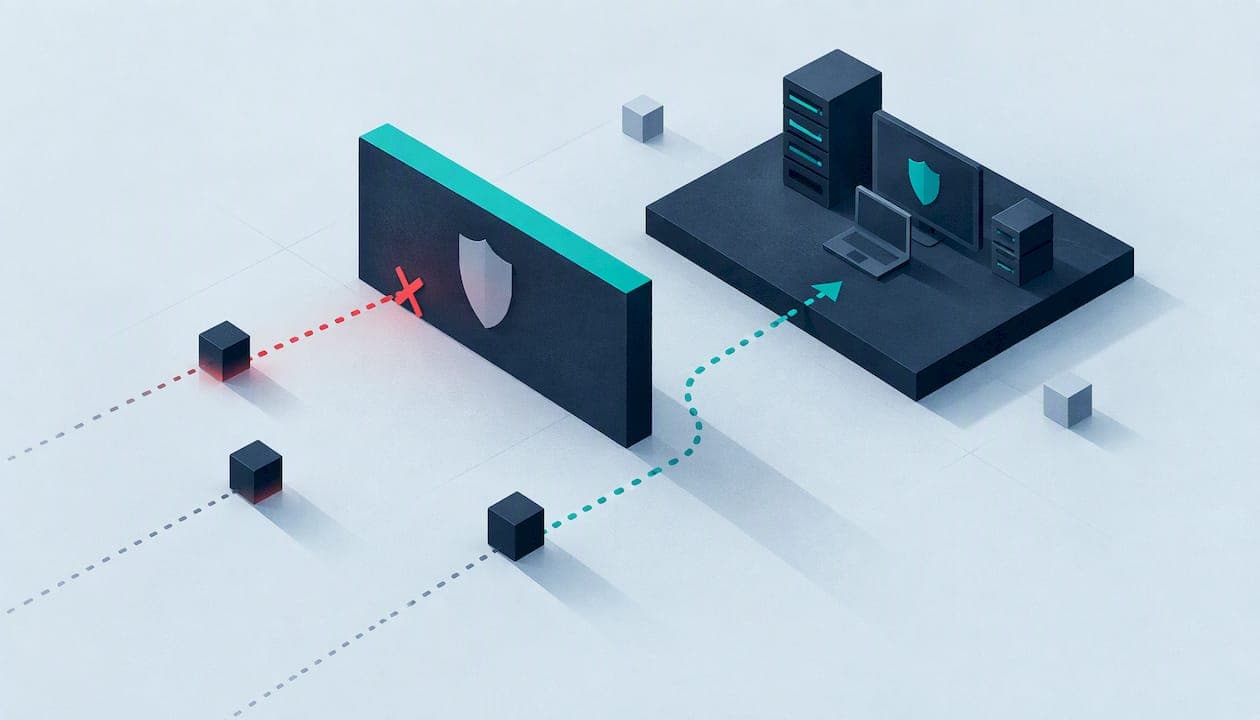
Antivirus blocks known malware on a device. EDR (endpoint detection and response) watches what happens on that device all the time, records it, and gives someone the tools to investigate and contain an attack. For most UK small businesses the sensible answer is not either/or: you need a prevention layer, and as you grow or hold more sensitive data, a detection layer with someone watching it. This guide explains the difference, where XDR fits, what the main products cost, and what Cyber Essentials actually asks of you.
Key Takeaways
- Antivirus prevents known threats from running. EDR records endpoint behaviour so you can spot, investigate and stop attacks that get past prevention.
- Most modern EDR products include antivirus-style prevention, so in practice you buy one agent, not two competing ones.
- Published UK small business pricing for EDR-capable tools starts at about £1.80 per device per month, but the tool is only useful if someone triages the alerts.
- Cyber Essentials does not explicitly require EDR. It does require active, up-to-date malware protection on every in-scope device.
- XDR extends EDR beyond endpoints. Assess your own tools and people before paying for it.
Table of Contents
- EDR vs antivirus: the difference in plain terms
- Do you need both?
- What XDR adds, and whether you need it
- What EDR costs UK small businesses
- The part people forget: who acts on the alerts?
- What Cyber Essentials expects
- How to choose: a practical checklist
- Putting it together: three typical setups
- Work with Solusec
- FAQ
- Sources
EDR vs antivirus: the difference in plain terms
Think of antivirus as the lock on the door and EDR as the alarm and camera inside the building. The lock stops the burglars it recognises. The alarm and camera tell you when someone has got in anyway, show what they touched and help you throw them out.
Traditional antivirus uses signatures, heuristics and behavioural checks to detect, block, remove or quarantine malware. It is built for a clear job: decide whether a file or process should be allowed to run, and act on it.

EDR does something different. According to Microsoft's overview of EDR, it provides continuous, real-time monitoring of endpoint activity and uses behavioural analysis to identify and respond to both known and unknown threats. It keeps a timeline of what ran, what it launched, what it connected to and what it changed. That timeline is what lets an analyst answer the questions that matter after an incident: how did they get in, which machines are affected, and is it over?
A side-by-side comparison
| Antivirus | EDR | |
|---|---|---|
| Main job | Block known and suspicious malware | Detect, investigate and respond to attacks |
| Typical approach | Signatures, heuristics, behaviour checks | Continuous endpoint telemetry and behavioural analysis |
| Handles novel or hands-on-keyboard attacks | Limited | Designed for them |
| Gives you an attack timeline | No | Yes |
| Lets you isolate a device remotely | Rarely | Usually |
| Needs a person to act on alerts | Seldom | Yes |
| Typical cost | Lowest | Higher, plus the cost of monitoring |
The last two rows are where small businesses most often come unstuck. An EDR console with nobody reading it is an expensive antivirus.
Do you need both?
You can run both, and many organisations do. TechTarget notes that antivirus handles the common attacks while EDR can concentrate on the more sophisticated ones. That is the logic of layering: cheap, automatic prevention for the bulk of everyday malware, and detection for the rest.
In practice, you rarely buy two separate products any more. Current business endpoint products tend to bundle next-generation antivirus with EDR in a single agent. Microsoft's business offering is a good example: Microsoft 365 Business Premium includes Defender for Business and its EDR, so many businesses already own more endpoint protection than they realise. Running two full security agents on the same laptop can also cause conflicts and slow machines down, so the question is usually "which single platform covers both jobs?" rather than "which two products?"
When antivirus alone is a reasonable starting point
A five-person business with no sensitive customer data, no compliance obligations and well-patched devices can cope with good antivirus and disciplined basics: patching, multi-factor authentication, backups and sensible admin rights. Those basics are exactly what Cyber Essentials tests.
When to move to EDR
The published UK small business guidance from Compare the Cloud suggests choosing based on your risk profile, the data you handle and how your team works. It points to paid endpoint protection where you hold sensitive data, face compliance requirements, have had an incident before or need dedicated support. If any of those describe you, EDR deserves a place in the plan.
A few concrete triggers we see in the sectors we work with:
- A school, college or charity holding safeguarding, health or donor records.
- A startup whose customers' security questionnaires now ask about endpoint detection.
- A business with remote staff on unmanaged home networks.
- Any organisation that has already had one phishing compromise and wants to know it will see the next one.
What XDR adds, and whether you need it
XDR (extended detection and response) takes the EDR idea and widens it. Instead of looking only at laptops, desktops and servers, it pulls in signals from other places such as email, identity, networks and cloud workloads, and presents them in one view. Belgium's national Centre for Cybersecurity describes XDR as broadening EDR beyond endpoints to networks, servers, cloud workloads and SIEM, giving a single-pane-of-glass view that supports triage, investigation and remediation. The same guidance recommends assessing your infrastructure and existing tools before deciding to buy XDR.
That advice suits small organisations well. If you already pay for Microsoft 365, check what your licence includes before buying anything. In Microsoft's range, adding the Defender Suite to Business Premium brings in Defender XDR. Whether that is worth switching on depends less on features than on whether anyone will use the extra visibility.
We go deeper on this in our article on testing your response plan before you buy EDR or XDR. The short version: XDR is a bigger version of the same bargain. More data helps only if a person or a service turns it into decisions.
What EDR costs UK small businesses
Prices matter, because EDR is often dismissed as an enterprise tool. The Compare the Cloud guide lists these figures for UK small business endpoint products:
| Product | Listed price |
|---|---|
| ESET PROTECT | £1.80 per device per month |
| Microsoft Defender for Business (standalone) | £2.50 per user per month |
| Sophos Intercept X | £2.50 per device per month |
| CrowdStrike Falcon | £5 per device per month |
Source: Compare the Cloud endpoint protection guide, 2026. Check each vendor's own page for current terms and minimum seat counts before you buy.
For a 20-person business, that range works out at roughly £36 to £100 a month for licences if each person has one device. That is modest next to the cost of a single incident. The larger cost is usually the human side, covered next.
The part people forget: who acts on the alerts?
EDR generates alerts that need a person to read, judge and act on, often outside office hours. Attackers do not keep nine-to-five schedules. A small business that cannot staff round-the-clock monitoring has three realistic options:
- Tune the tool and respond in office hours. Cheapest, but an attack at 2am has until morning to spread.
- Buy a managed detection and response (MDR) service. A provider supplies the tooling or works with yours, and its analysts monitor, investigate and act on your behalf.
- Bring in an expert partner for design and incident support. You keep the tooling in-house and have a specialist who can help you configure alerting properly and step in when something serious happens.
Whichever you choose, write down in advance who gets the alert, who can isolate a device, who calls whom and what you do with a suspected breach. The most expensive EDR licence cannot compensate for nobody knowing who owns the response.
This is where we help. Our SOC consulting and support service is for organisations that need to set up monitoring and make sense of what it produces, and our incident response team works with you when something has already gone wrong. You deal directly with experienced testers and assessors rather than a sales team, and we explain findings in plain English with recommendations sized to your business.
What Cyber Essentials expects
Many of our readers ask about EDR because a customer, a funder or a local authority has asked for Cyber Essentials. So here is what the scheme actually says.
Cyber Essentials does not explicitly require EDR. It does require that active, up-to-date malware protection is present on all in-scope devices, and that it prevents malware from executing, stops malicious code and filters connections to malicious websites. That comes from the NCSC's Cyber Essentials Requirements for IT Infrastructure v3.3, the April 2026 version. A good business-grade product with EDR will normally satisfy this, as will plain antivirus configured correctly.
At the Plus level, an assessor tests rather than reads your answers. The Cyber Essentials Plus test specification v3.2 checks that anti-malware software is installed and running, updated in line with the vendor's instructions, and tested against malware delivered by email and via the browser. So the practical advice is simple: whichever product you choose, make sure it is switched on, set to update automatically and covers every device in scope, including home-working laptops.
If you are unsure which level you need, our guide to Cyber Essentials vs Cyber Essentials Plus walks through the decision. As an IASME Certification Body, we can take you through the basic certificate for a published £320 to £600 one-off fee depending on organisation size, with a £300 gap analysis if you want to find problems before you submit and an optional £100 urgent turnaround. Details are on our Cyber Essentials page, and if you need hands-on verification, see Cyber Essentials Plus.
If you are in the West Midlands, we also support local organisations directly; the Cyber Essentials West Midlands page for Halesowen is one example of where we work.

How to choose: a practical checklist
Do not start with product names. Start with these questions.
1. What are you protecting?
List the systems and data an attacker would want: finance, customer records, pupil or beneficiary data, intellectual property. The more sensitive and regulated the data, the stronger the case for detection and response.
2. What do you already own?
Check your Microsoft 365 or Google licences first. If Defender for Business is already included, switching it on and configuring it properly can cost less than buying a new tool.
3. Who will read the alerts?
Name a person and a deputy, or name the service provider. If you cannot, budget for MDR or managed support, not just licences.
4. Can it cover every device?
Check that it supports your Windows, macOS, Linux and mobile mix. Cyber Essentials scope can include personal devices used for work, so decide how you will cover them.
5. Does it fit your compliance route?
If you are heading for Cyber Essentials, IASME Cyber Assurance or Defence Cyber Certification, choose tooling that makes evidence easy to produce, such as central reporting of patch and malware status.
6. Have you tested what happens when it fails?
Endpoint tools reduce risk; they do not remove it. A penetration test shows what an attacker can reach even with your protection in place, and whether your alerts fire when they should. Our published prices start at £2,500 for a CMS website test and £3,000 for an external IP test. It is also worth understanding how a penetration test differs from a vulnerability scan so you buy the right one.
Putting it together: three typical setups
A 10-person startup on Microsoft 365. Check whether Business Premium is already in place, switch on Defender for Business, enforce multi-factor authentication, and document who responds to alerts. Add Cyber Essentials to satisfy customer questionnaires.
A school or college. Many devices, many users and sensitive pupil data. Pair endpoint protection with Cyber Essentials, and consider MDR or external monitoring because internal IT time is limited. See our page on Cyber Essentials for schools.
A charity with a part-time IT contractor. Keep it simple: one managed endpoint product across all devices, clear reporting, and a retained expert you can call if something looks wrong. Prioritise patching and vulnerability management, because most attacks use known weaknesses.
Work with Solusec
We are a CREST-accredited cybersecurity company and an IASME Certification Body. We do not hide behind sales layers: the people who scope your work are the people who understand it. If you want an honest view of whether your current endpoint protection, monitoring and response plan hold up, we can test it, certify it and help you fix what we find.

Start with Cyber Essentials if you need certification quickly, or talk to us about SOC consulting and penetration testing if you want to know how your defences perform against a real attacker.
FAQ
Is EDR better than antivirus?
EDR does more: it records endpoint behaviour and supports investigation and response, which antivirus is not designed to do. But "better" depends on whether you can use it. For a small business with sensitive data and someone to act on alerts, EDR is the stronger choice. Many EDR products also include antivirus-style prevention.
Does Cyber Essentials require EDR?
No. The NCSC requirements do not explicitly require EDR. They do require active, up-to-date malware protection on all in-scope devices that stops malware executing and filters malicious websites. A properly configured antivirus or EDR product can meet that.
What is the difference between EDR and XDR?
EDR focuses on endpoints such as laptops, desktops and servers. XDR widens the view to include sources such as networks, cloud workloads and other security tools, in one place. Assess your existing tools and staffing before buying it.
Can a small business afford EDR?
Yes, licences are not the main barrier. Published UK figures start at £1.80 per device per month and reach £5 for some premium tools. The bigger question is who monitors the alerts, which is where a managed service or expert support comes in.
Sources
- What is EDR vs. Antivirus? Palo Alto Networks
- What Is EDR? Endpoint Detection and Response, Microsoft
- EDR vs. antivirus: What's the difference? TechTarget
- Microsoft Defender Suite for Microsoft 365 Business Premium
- Endpoint protection guide for small businesses, Compare the Cloud
- Recommendations for anti-virus, EDR and XDR security, Centre for Cybersecurity Belgium
- Cyber Essentials Requirements for IT Infrastructure v3.3, NCSC
- Cyber Essentials Plus Test Specification v3.2, NCSC
Recommended
- SentinelOne vs CrowdStrike: Which EDR Suits a UK SME?
- Sophos vs Bitdefender: which is right for a UK SME?
- UK EDR vs XDR: Test Your Response Plan Before You Buy
- SIEM vs XDR: Which Does Your Organisation Need?
This article was created with assistance of AI. We never use AI with your data unless given explicit permission.