
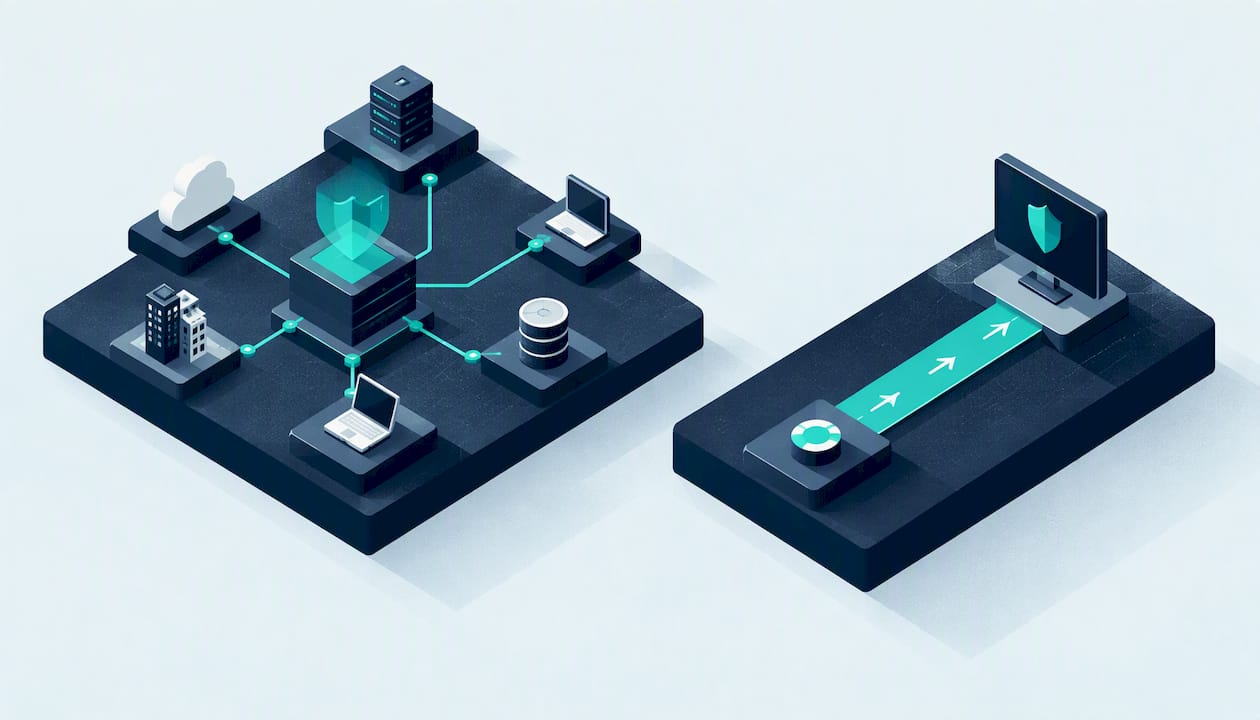
If your estate is large, hybrid and integration-heavy, shortlist the enterprise-coverage archetype first. If your team is small and wants quick, dashboard-led triage with less tuning, shortlist the operational-ease archetype. Tenable and Qualys can each fit either profile depending on your processes. We compare detection, deployment, usability, support and cost below to back that verdict.
Key Takeaways
Choosing the right vulnerability management platform depends on whether your estate requires broad asset coverage or operational ease for quick remediation.
| Point | Details |
|---|---|
| Asset discovery accuracy | Test each platform's ability to find known assets and detect vulnerabilities accurately before full deployment. |
| Deployment and integration | Evaluate cloud, on-premises, or hybrid options based on your infrastructure, and verify API, SIEM, and cloud connector support. |
| Usability for analysts | Assess dashboard clarity, filtering, and triage speed with real users to ensure adoption and efficiency. |
| Remediation workflow effectiveness | Ensure the platform provides clear risk prioritization, fix guidance, and automated ticketing to streamline fixing vulnerabilities. |
| Support and pricing clarity | Clarify support response times, onboarding, training, and licensing models, then compare quotes with matching usage scenarios. |
Table of Contents
- Which platform type should you shortlist first?
- What do Tenable and Qualys actually detect?
- How do deployment models and integrations compare?
- Which one is easier for analysts to use day to day?
- How do they turn findings into fixes?
- What support and professional services should you expect?
- How are these platforms priced and licensed?
- How do you choose between them?
- How long does each platform take to implement?
- How quickly do they respond to emerging threats?
- Which one is more accurate, and how bad are false positives?
- Prefer expert-led vulnerability management instead of buying a platform?
- FAQ
- Sources
Which platform type should you shortlist first?
Think of this as an archetype decision rather than a brand contest. One archetype prioritises breadth: many asset types, many connectors, deep configuration. The other prioritises operational fit: dashboards your analysts understand on day one, and workflows that need little tuning.
- Enterprise coverage: best for large, mixed estates with cloud, containers, on-premises servers and several teams consuming the data. Strengths to test are scan breadth, API depth and connector range. It suits organisations with a dedicated vulnerability team and defined asset owners.
- Operational ease: best for lean security or IT teams that need findings turned into tickets quickly. Strengths to test are dashboard clarity, filtering and reporting that managers can read without help. It suits smaller estates or teams still building their security maturity.
- Where both fall short: neither archetype works without people. Gartner Peer Insights reviewers warn that these platforms deliver full value only with human-led processes and clear asset ownership.
Gartner publishes a side-by-side compare page for Qualys CyberSecurity Asset Management and Tenable Vulnerability Management, with product overviews and user sentiment. Use it as a starting point, then run your own demo tasks.
What do Tenable and Qualys actually detect?
Coverage is where the enterprise archetype earns its keep, so compare categories rather than headline feature counts. Ask each vendor to show you, live, how it handles each of these:
- External perimeter: internet-facing IPs, domains and services, scanned from outside your network.
- Internal hosts: servers, workstations and network devices, scanned from inside or via sensors.
- Authenticated scans: credentialed checks that read patch levels and configuration, which find far more than unauthenticated probing.
- Cloud workloads: instances, storage and services discovered through provider connectors.
- Container images and SCA: vulnerable base images and open-source libraries in your software supply chain.
Agent versus agentless is the main trade-off. Agents give continuous visibility for laptops and roaming devices, and they report even when a machine is off the corporate network. Agentless scanning needs no software on the asset, which suits network gear, appliances and fragile legacy systems, but it only sees what is online during the scan window. Most estates need both, so check that each platform lets you combine them in one inventory without duplicate assets.
In a proof of concept, test discovery fidelity before anything else. Import a known list of assets from your CMDB, run discovery, and reconcile the two. Count what the platform found that you did not know about, and what you hold that it missed. Do this on a network segment you understand well, so you can tell a true gap from noise.
Pro Tip: Seed your trial with a few deliberately vulnerable test machines and one forgotten server. A platform that finds the forgotten server and flags the planted flaws tells you more than any datasheet.

How do deployment models and integrations compare?
Deployment shapes who does the work. SaaS consoles remove server maintenance and scale easily, which suits teams without spare infrastructure effort. On-premises consoles give you control over where findings live, which matters if data residency or regulator expectations restrict cloud storage. Hybrid setups, with local scanners reporting to a cloud console, are common in larger estates. Whichever model you pick, ask where scan results are stored and how long they are retained.
Integrations decide whether findings reach the people who can fix them. Check each of these against your actual tooling, not a logo wall:
- API access: is the API complete enough to automate scan scheduling, asset tagging and bulk export, or does it cover only a subset of console features?
- SIEM connectors: can vulnerability data enrich alerts in your existing SIEM without custom scripting?
- CMDB and ITSM connectors: can the platform create tickets and keep asset records in step with your service management tool?
- Cloud provider integrations: does it use native connectors for your cloud accounts, and how quickly does it reflect new or terminated instances?
If you are migrating from a legacy scanner, plan a parallel run. Keep the old tool scanning the same segments for a few weeks, compare findings, and map your existing scan policies and report templates before you switch off anything. A hybrid estate also deserves a test of how each platform treats the same host seen by both an agent and a network scanner.
Gartner's list of Tenable alternatives includes Qualys and shows how buyers weigh integration, deployment and support when comparing vendors. It is a useful reality check on which criteria matter to peers.
Which one is easier for analysts to use day to day?
Usability decides adoption. A powerful scanner that analysts avoid produces stale data, so judge the interface by watching your own people use it.
- Dashboards and role-based views: a SOC analyst wants exploitable, internet-facing issues first, while IT operations wants patch lists grouped by owner. Check that each role can get a tailored view without building it from scratch.
- Filters, tags and asset groups: good grouping by business unit, environment or criticality turns thousands of findings into a manageable queue. Test how quickly you can build a saved filter.
- Contextual data: does a finding show the affected asset, how it was detected, whether an exploit exists and what the fix is, all in one place?
- Triage speed: time how long it takes a new analyst to answer "what are our worst ten problems on the payments servers?"
In demos, do not let the vendor drive the whole session. Ask them to hand you the keyboard, or run the tasks on a trial tenant yourself. Observe where people hesitate, click back repeatedly or ask for help. Those friction points are the daily cost of the product, and they are invisible in a polished walkthrough.
Also ask how dashboards behave at scale. A view that loads instantly for a small data set may crawl when used at your estate’s full scale, so test with a data set close to your real size. If a trial limits asset counts, ask the vendor to load a larger sample.
Pro Tip: Give two analysts of different experience levels the same triage task, with no coaching. If both finish quickly, the interface is genuinely intuitive.
How do they turn findings into fixes?
Finding vulnerabilities is the easy half. Reporting and remediation workflow determines whether anything gets fixed.
- Risk scoring: compare how each platform prioritises. Some lean on the standard severity score alone, while others add exploit availability, threat activity and asset context. Ask how you can weight scores by business criticality, so a medium flaw on a payment system outranks a high one on a test box.
- Remediation guidance: look for clear fix steps, patch references and grouped actions, such as grouping findings that can be resolved by the same update. Grouping reduces the work orders your IT team receives.
- Patch prioritisation: check whether the platform recommends an order of work, and whether you can override it when your change calendar disagrees.
- Fix verification: can it rescan only the affected assets after a patch and close the finding automatically, or must someone rerun a full scan?
- Ticketing and automation: test whether tickets are created with the right owner, severity and due date, and whether they close when the fix is verified.
Reporting also matters beyond the technical team. Executives want trend lines and risk by business unit, auditors want evidence of timely remediation, and engineers want a plain task list. Check that the platform produces all three from the same data without manual spreadsheets.
The people problem sits behind all of this. Reviewers on Gartner Peer Insights note that a common pitfall is deploying these platforms without mature internal processes for assigning responsibility for discovered vulnerabilities. Before you buy, decide who owns each asset group and what the agreed deadline is for each severity. No scoring model compensates for findings nobody is accountable for.
What support and professional services should you expect?
Support quality shows up at the worst moments: a failed scan before an audit, a connector that stops syncing, a confusing false positive on a critical server. Standard support usually covers documentation, a ticket queue and community forums. Enterprise tiers add faster response targets, named contacts and sometimes round-the-clock cover. Many vendors also offer onboarding, tuning, training and managed triage, which can fill gaps in a small team.
Ask these questions of every vendor, and record the answers in writing:
- What are the guaranteed response and resolution times for each severity level, and are they measured in business hours or clock hours?
- Is support available in your time zone and region, and is there a UK-based or UK-hours option?
- What does onboarding include, how long does it last, and who does the scanner tuning?
- Is training included, and is it live, recorded or certification-based?
- Can they provide managed triage or remediation help, and what does that cost compared with hiring internally?
- What happens to support entitlements if you reduce licence counts at renewal?
Pay attention to how the vendor handles your trial. The speed and quality of answers during evaluation is a reasonable preview of post-sale support, because sales engineers are usually at their most attentive before you sign. If basic questions take days, expect worse once the contract is in place.
Finally, ask for reference customers of similar size and sector, and speak to them without the vendor present. Peer reviews on Gartner Peer Insights help, but a direct conversation about real response times is more telling.
How are these platforms priced and licensed?
Neither vendor makes its full pricing easy to compare, so your job is to make quotes comparable. Common licensing shapes include:
- Asset or IP counts: you pay per scanned asset, so estate growth raises cost directly.
- Modules: core vulnerability scanning is priced separately from cloud, container, web application or asset management add-ons.
- Sensor or scanner licensing: some models charge for the scanners or agents you deploy rather than only the assets.
- SaaS tiers: bundled packages with different feature levels, often with minimum commitments.
Several factors push total cost above the headline quote: scan volume and frequency, the number of authenticated scans, managed services, training, and the engineering time needed for integrations. Remember that internal effort counts as cost even when it never appears on an invoice.
To compare quotes fairly, ask both vendors to price the same scenario: the same asset count, the same modules, the same term. Request the exact usage metric used for billing, how overages are charged, and what happens when you add assets mid-term. Negotiate multi-year terms only if you can secure price caps at renewal and a clear data export and exit clause.
How do you choose between them?
Turn the criteria into a short scorecard and run the same tasks against both platforms.
- Asset discovery: load a known asset list and measure what the platform finds, misses or duplicates.
- Authenticate and detect: run a credentialed scan on a representative server group and review the depth of findings.
- Create a ticket: push a finding to your ITSM tool with the correct owner and priority.
- Verify a fix: patch a test issue, rescan and confirm the finding closes.
Score each platform from one to five against coverage, integrations, usability, remediation, support and price. Weight the scores to match your priorities: a lean team may double the weight on usability, while a large estate may favour coverage and integrations. Before you commit, check trial length, whether you can export all of your data, and what exit terms apply.
For procurement structure, our guide on choosing a penetration testing provider uses the same logic of written criteria and evidence before commitment.
Pro Tip: Fix your scorecard weights before the first demo. Weights chosen after you have seen the interfaces tend to favour whichever product looked slicker.
How long does each platform take to implement?
Both platforms can begin scanning quickly, but "operational" is a different milestone from "installed". Vendors publish few firm timelines, so plan around phases and confirm them in writing rather than trusting a single quoted number.
- Setup: deploying a SaaS console, scanners and agents on a first network segment is typically the fastest stage. On-premises or hybrid designs add infrastructure work, firewall changes and certificate handling.
- Discovery and baselining: your first scans will surface a large backlog of findings. Expect a period of tuning scan policies, excluding fragile systems and reconciling the inventory.
- Integration: connecting ticketing, SIEM, CMDB and cloud accounts depends on your tools and internal change processes more than on the vendor.
- Process and ownership: assigning asset owners, agreeing remediation deadlines and training analysts is usually the slowest part. This matches the warning from Gartner Peer Insights users about missing internal processes.
- Full operational readiness: you are there when scans run on schedule, tickets reach the right owners, fixes are verified automatically and reports go to leadership without manual work.
Ask each vendor for a reference plan with milestones for your estate size, and ask what their most common cause of delay is. Phased rollouts, starting with the highest-risk segment, generally build confidence faster than a big-bang deployment.
How quickly do they respond to emerging threats?
New vulnerabilities appear constantly, and the useful question is how fast a platform can tell you whether you are exposed. Evaluate this on specific points rather than marketing claims:
- Plugin or signature release cadence: how soon after a major public disclosure does each vendor ship a detection, and can they show you recent examples with dates?
- Threat context in scoring: does the platform flag vulnerabilities being actively exploited, so you can prioritise them above a high but theoretical score?
- Update delivery: are detection updates automatic, and do they reach on-premises scanners and agents without manual steps?
- Product roadmap transparency: do release notes show steady, meaningful improvements, or mainly cosmetic changes?
- Vendor research output: teams that publish their own research tend to understand new attack techniques early. We publish vulnerability research and CVEs ourselves, and we find this kind of first-hand work a good signal to look for in any security vendor.
During your trial, pick a recently disclosed vulnerability and ask each vendor to show detection coverage for it, including the release date of the check. Compare that date against the public disclosure date. Ask too how each vendor handles zero-day periods, when no check exists yet: some offer asset queries, such as "which hosts run this software version", that give you a manual starting point.
Which one is more accurate, and how bad are false positives?
We cannot give you a credible head-to-head accuracy percentage, because no neutral, current benchmark in our sources measures detection accuracy and false positive rates for Tenable against Qualys. Treat any vendor that quotes a single universal accuracy figure with caution, since results depend heavily on your environment, scan credentials and configuration.
What you can do is measure accuracy yourself, on your own estate:
- Build a ground-truth set: use a few systems where you know exactly which flaws are present and which patches are applied.
- Run authenticated scans on both platforms: credentialed checks produce fewer guesses than remote probing, so they give the fairest comparison.
- Count three outcomes: confirmed true findings, false positives where the flaw is not present, and false negatives where a known flaw was missed.
- Check how each platform labels certainty: some distinguish confirmed findings from potential ones, which changes how much manual validation you need.
- Time the validation work: the real cost of false positives is analyst hours spent proving a finding wrong.
Also review user sentiment for patterns rather than isolated complaints. The Gartner Peer Insights comparison page is a sensible place to look for recurring comments, though reviews describe experiences in other people's environments.
Prefer expert-led vulnerability management instead of buying a platform?
Some organisations do not need another console. They need someone to run discovery, validate findings and help fix them. That is the gap our vulnerability management service fills. We are CREST-accredited, and you work directly with experienced testers and assessors rather than a sales team, with plain-English advice and recommendations proportionate to your size.
A service-first approach tends to suit SMEs, schools, colleges, universities and charities, and any team that lacks spare hours for scanner tuning and triage. It also works for organisations that already own a platform but have no one to turn its output into prioritised, practical remediation steps. If you are unsure how a scan differs from a test, our explainer on penetration testing versus a vulnerability scan sets it out clearly.
To discuss your estate and what hands-on support would look like, visit our vulnerability management services page and get in touch.

FAQ
What are the two types of vulnerability scans?
Common scan types include authenticated and unauthenticated scans. Unauthenticated scans probe a system from outside, as an attacker without credentials would. Authenticated scans log in to read patch levels and configuration, so they usually find more and produce fewer guesses.
What is the difference between Tenable SC and Tenable IO?
Tenable SC is the on-premises console, while Tenable IO is the cloud-delivered platform. The practical difference is where the management console runs and who maintains it. Confirm current product names and packaging with Tenable, as vendors rename and bundle offerings over time.
How can I view vulnerabilities in Tenable?
You review findings in the platform's console, using dashboards, asset views and filters to sort by severity or asset group. Most teams build saved views for each role, such as one for SOC analysts and one for IT operations. Test this during a trial so you know how quickly your own team can answer triage questions.
What is the purpose of Tenable Nessus?
Nessus is Tenable's vulnerability scanner, used to find missing patches, misconfigurations and known flaws on hosts and network devices. It is the scanning engine many teams know best. Larger platforms build on that scanning with asset management, reporting and workflow features.
Recommended
This article was created with assistance of AI. We never use AI with your data unless given explicit permission.